
To access the MG+ Backoffice Settings page, click the Gear icon in the left-hand menu, or click the hamburger menu to expand it then select Settings. Alternatively, click the silhouette image in the top right-hand corner of the screen and select Settings.
The Settings preferences will be stored on cookies per device rather than per user.
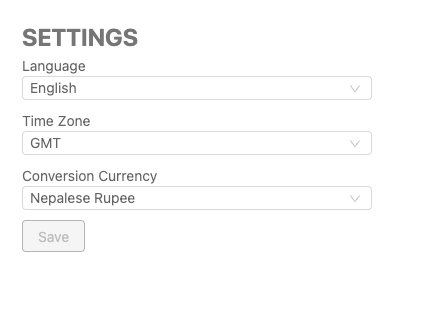
|
Language
Users can change the platform's language by selecting it from the drop-down menu.
Time Zone
Changing the time zone will impact the time zone displayed in the results. Setting the time zone enables Master Agents and Head Offices to view financial information from all Agents in one time zone.
The default time zone will be based on the chosen time zone in the Settings page. If the user does not modify the time zone, the default time zone will be set to GMT+0.
Conversion Currency
Users can set a default conversion currency that will be used on the Dashboard.