
The Free Games Analysis Report provides users with the ability to assess data regarding the effectiveness and performance of their free game offers.
Filtering the Free Games Analysis Report
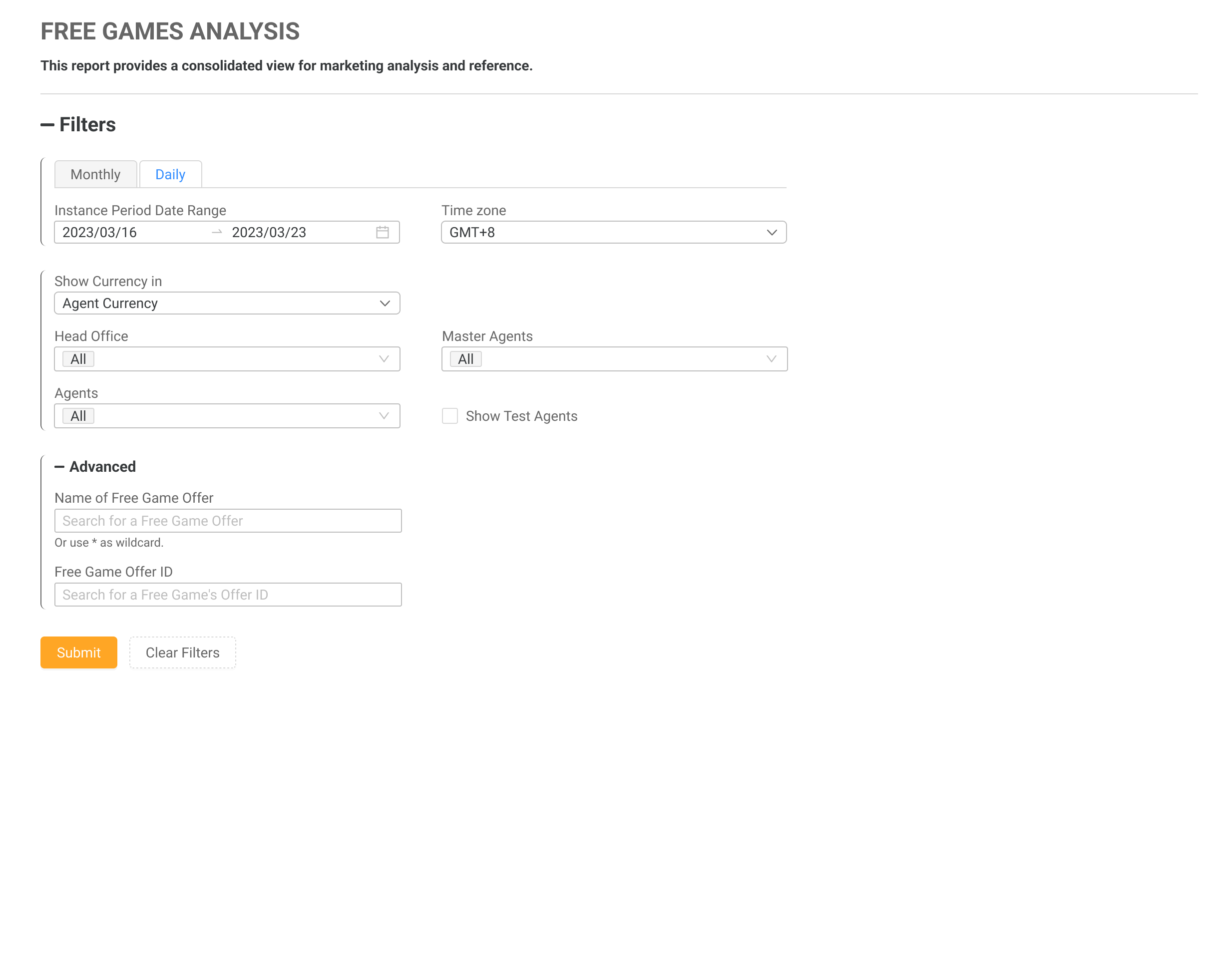
Use the filters to refine your search criteria. Click the Submit button to view the results, or click Clear Filters to reset and start over.
|
|
Filter |
Description |
|---|---|
|
Instance Period Month/Date Range |
The date and time range can be specified using the provided parameters. Users are able to select an instance period month/date range of up to 90 days between the specified dates. Two pre-defined periods are available for quick selection: Last 7 Days and Last 30 Days. The instance period is the availability period of the free game, refer to the Dates section of the Free Games Glossary. |
|
Time Zone |
Changing the time zone will impact the time zone displayed in the results. Setting the time zone enables Master Agents and Head Offices to view financial information from all Agents in one time zone. The default time zone will be based on the chosen time zone in the Settings page. If the user does not modify the time zone, the default time zone will be set to GMT+0. |
|
Show Currency In |
Users can select a currency in which to view the data from their reports. The Player Currency is the currency that was originally used for the transactions, while the other currencies in the list will convert the data to the chosen currency. The conversion rate from the previous day will be used to convert the current day's data. |
|
Entity Filters |
Users can apply filters to view the data relevant to the entity. The default option is set to All. The Agents drop-down menu is accompanied by a checkbox that allows the user to filter the client's test agents (marked in red). By default, the Show Test Agents checkbox is unchecked. This option will be disabled for clients that do not have test agents on the MG+ system. |
|
Offer Name |
To retrieve data for specific offers, the report supports filtering by using the search box. Enter the offer name in the text box, and you can use an asterisk (*) as a wildcard character to broaden the search if needed. Valid uses of the wildcard:
Example
|
|
Offer ID |
In order to obtain data for specific offers, you can filter the report by using the search box and entering the desired offer ID. The offer ID has the following limitations: a maximum length of 36 characters, and only letters, numbers, and the '-' character are allowed. The format for an offer ID is XXXXXXXX-XXXX-XXXX-XXXX-XXXXXXXXXXXX. |
Functionality of the Free Games Analysis Report
To adjust the filters for resubmission, click Filter (this may be displayed as an icon or as a link labeled +Filter).
Clicking on the Export button will provide the user with an Excel .CSV file of the table summary.
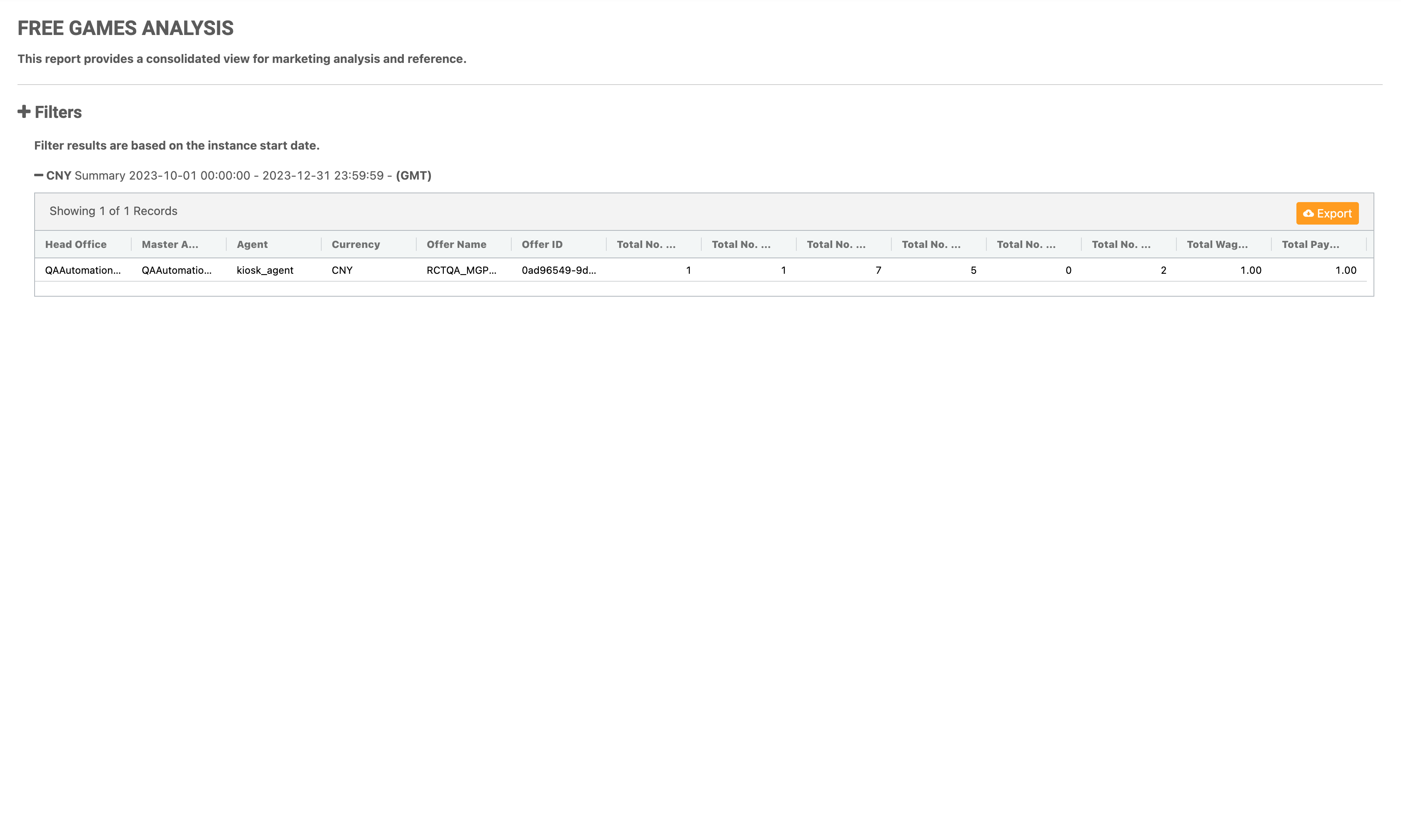
Free Games Analysis Report Table One
|
|
Column Name |
Description |
|---|---|
|
Head Office |
The entity that the offer belongs to. |
|
Master Agent |
The entity that the offer belongs to. |
|
Agent |
The entity that the offer belongs to. |
|
Currency |
The selected currency as set by the filters. |
|
Offer ID |
The unique identifier for the free game offer. |
|
Offer Name |
The name of the free game offer. |
|
Total No. of Players Awarded |
Total number of players awarded via the free game offer. A player may be assigned the same free game offer 3 times, and will be counted 1 time in this summary. |
|
Total No. of Instances |
Total number of times the free game offer has been assigned to players. A player may be assigned the same free game offer 3 times, and will be counted 3 times in this summary. |
|
Total No. of Rounds Awarded |
Total number of free game rounds/spins awarded to all players. |
|
Total No. of Rounds Used |
Total number of free game rounds/spins that have been used by players. |
|
Total No. of Rounds Left |
Total number of free game rounds/spins players have yet to use within the validity period. |
|
Total No. of Rounds Canceled |
Total number of free game rounds/spins where:
Rounds that are valid but not used by players are categorized under Total No. Rounds Left. After the offer expires, they are categorized under Total No. of Rounds Canceled. |
|
Total Wager Amount |
Total bet amount made by the players. |
|
Total Payout Amount |
Total payout amount. |
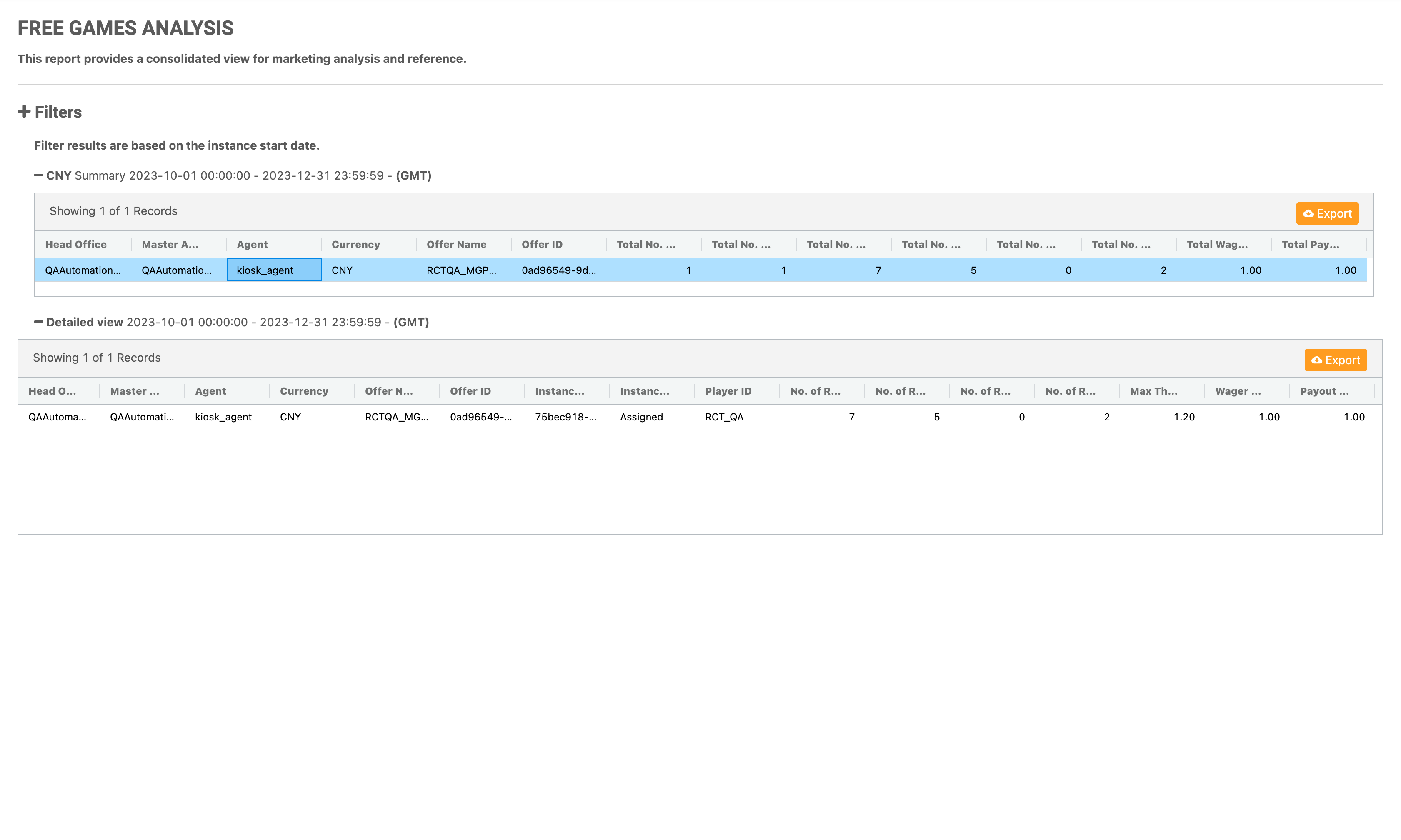
Free Games Analysis Report Table Two
To access the detailed view table, a specific row can be selected from the summary level of the report. Clicking on one of the rows will open the details.
|
|
Column Name |
Description |
|---|---|
|
Head Office |
The entity that the offer belongs to. |
|
Master Agent |
The entity that the offer belongs to. |
|
Agent |
The entity that the offer belongs to. |
|
Currency |
The selected currency as set by the filters. |
|
Offer ID |
The unique identifier for the free game offer. |
|
Offer Name |
The name of the free game offer. |
|
Instance ID |
The unique identifier for the free game offer instance. |
|
Instance Status |
The status of the free game offer instance. |
|
Player ID |
The player ID of the player. |
|
No. of Rounds Awarded |
Number of free game rounds/spins awarded to the player. |
|
No. of Rounds Used |
Number of free game rounds/spins that the player has used. |
|
No. of Rounds Left |
Number of free game rounds/spins that the player has yet to use within the validity period. |
|
No. of Rounds Canceled |
Total number of free game rounds/spins where:
Rounds that are valid but not used by players are categorized under No. Rounds Left. After the offer expires, they are categorized under No. of Rounds Canceled. |
|
Max Theoretical Cost |
Expected cost for the operator per instance. |
|
Wager Amount |
Total bet amount made by the player. |
|
Payout Amount |
Total payout amount. |