
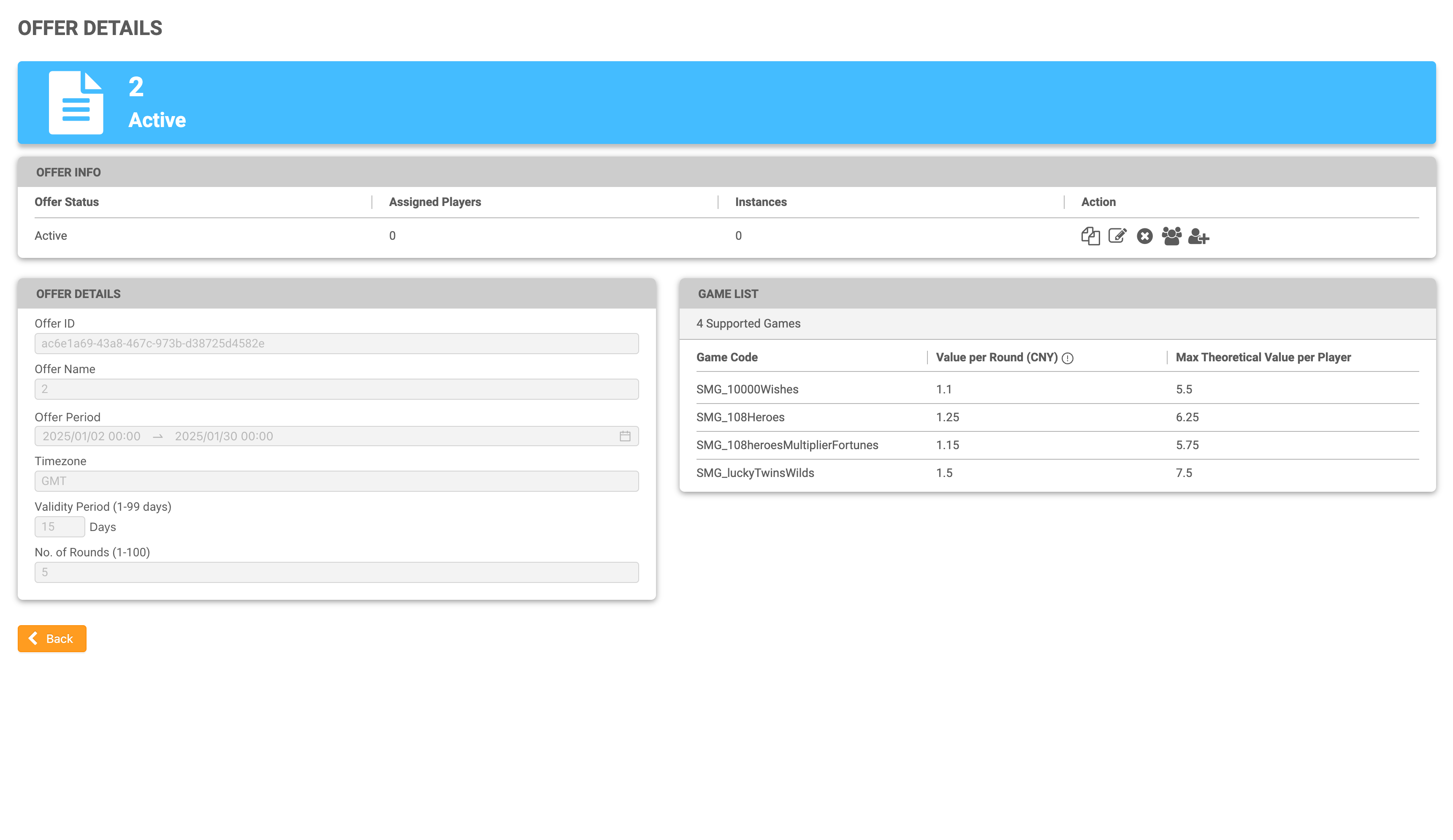
The Offer Details page allows the user to view information related to the offer.
The user can access this page in two ways:
-
By clicking on the row of the offer on the Offer List page.
-
Once the user creates a new offer, the user will be automatically directed to the Offer Details page.
|
This page is split into three sections; Offer Info, Offer Details and Game List.
Offer Info
|
Column Name |
Description |
|---|---|
|
Offer Status |
The status of the offer; Active or Closed. |
|
Assigned Players |
The number of assigned players to the offer. |
|
Instances |
The number of assigned instances to the offer. |
|
Action |
The user may see different actions depending on the offer status. See the Offer Status table below for a list of different scenarios. |
Hover over the icon to view the tooltip.
|
Offer Status |
What actions can I perform? |
|---|---|
|
Active offer without players |
|
|
Active offer with players |
|
|
Closed offer with/without players |
|
Offer Details
The offer details section gives an at-a-glance summary of the offer. To edit these fields, click on the Edit action icon (the page with the pencil) in the Offer Info section to be redirected to the Edit Offer page.
Editing is only possible for offers that do not have any players assigned to them.
Game List
The list of games assigned to this offer will be presented in alphabetical order based on the game code.
The value per round will be displayed according to the currency used by the Agent. To edit the value per round, click on the Edit action icon (the page with the pencil) in the Offer Info section to be redirected to the Edit Offer page.
The maximum theoretical value per player is the total amount of money an operator is expected to contribute if a player plays all available rounds in the game, calculated by multiplying the number of rounds played with the value per round.