
This article covers how to set a credit limit to manage financial risks.
The Credits Management function gives the network owner control over their financial risk by limiting the amount their lower-level network can spend by setting their credit limit. When their credit balance reaches zero, the Agent entity will be unable to make any deposits until more credit is provided.
The credits are set at a 1:1 currency conversion.
Credits Management Permission
To access the Credit Management function, the entity must have Credits Management enabled under their permissions.
To enable Credits Management, refer to the Editing an Entities Information article.
Credits Activation
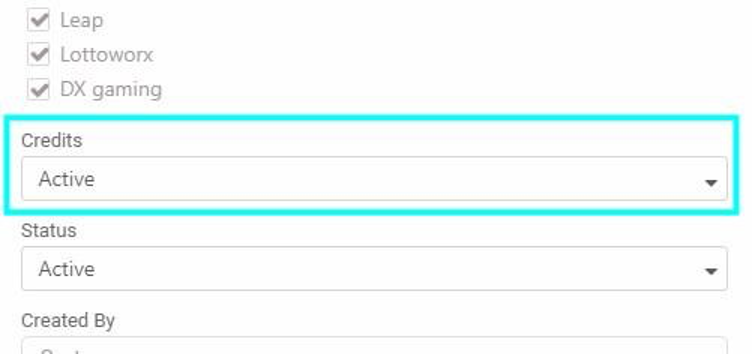
Credits can be enabled at any entity level. In the entity information screen, you can choose to activate the Credits feature. Once activated, Credits will be enabled for all lower-level entities as well.
Credits Balance
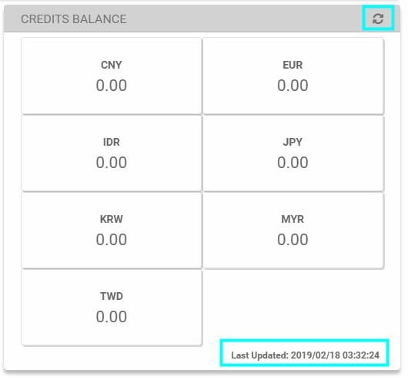
Once the Credits function is activated and saved, the system will display information on the Credits Balance on the entities information screen. Users can refresh the credit balance status and view the last time it was updated.
Credits Screen
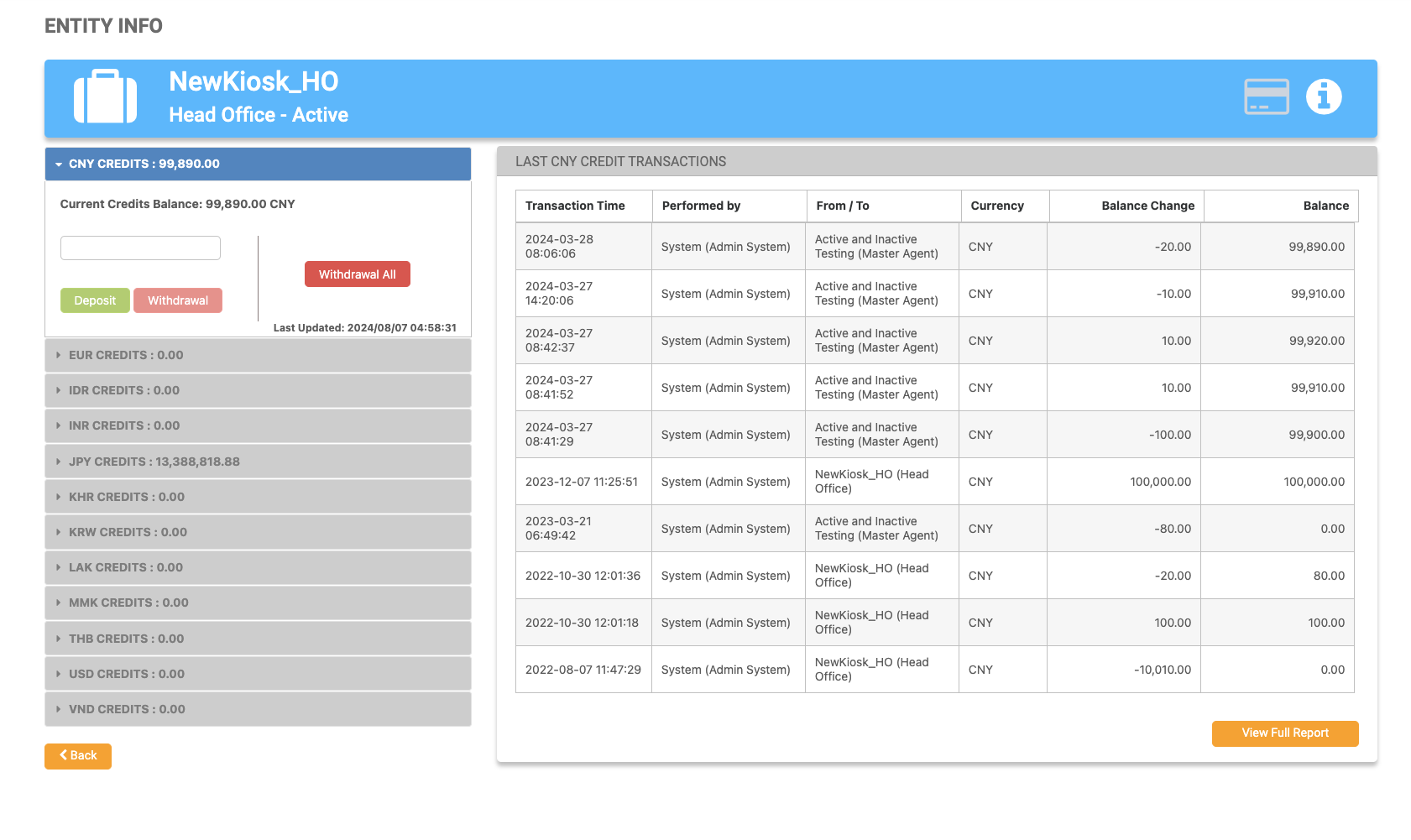
Once the Credits function is activated and saved, a Credits Screen icon will be shown in the header of the entity’s information screen. Clicking it will take the user to the Credits Screen. To return to the Entity Info screen, click the i icon next to the Credits Screen button.

|
The Credits Screen can also be accessed from the Entities List page.

|
|
Credits Box
|
Field |
Description |
|---|---|
|
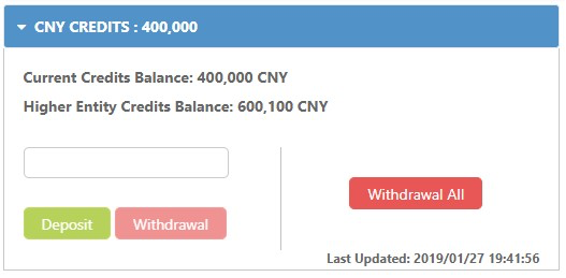
Current Credits Balance |
This balance reflects the most recent deposit/withdrawal actions of the players and deposits/withdrawals of credits by the higher entity. If the entity has multiple currencies configured, there will be a Credits Box displayed for each currency. |
|
Higher Entity Credits Balance |
The balance of the higher entity will only be displayed if Credits is activated and the user has the appropriate permissions. |
|
Deposit |
Clicking this will increase the entity’s Current Credits Balance. This will decrease the number under Higher Entity Credits Balance. |
|
Withdraw/Withdraw All |
Clicking this will decrease the entity’s Current Credits Balance. This will increase the number under Higher Entity Credits Balance. |
|
Last Updated |
This shows the last time the credits balance was changed. |
Last Credit Transaction Quick View
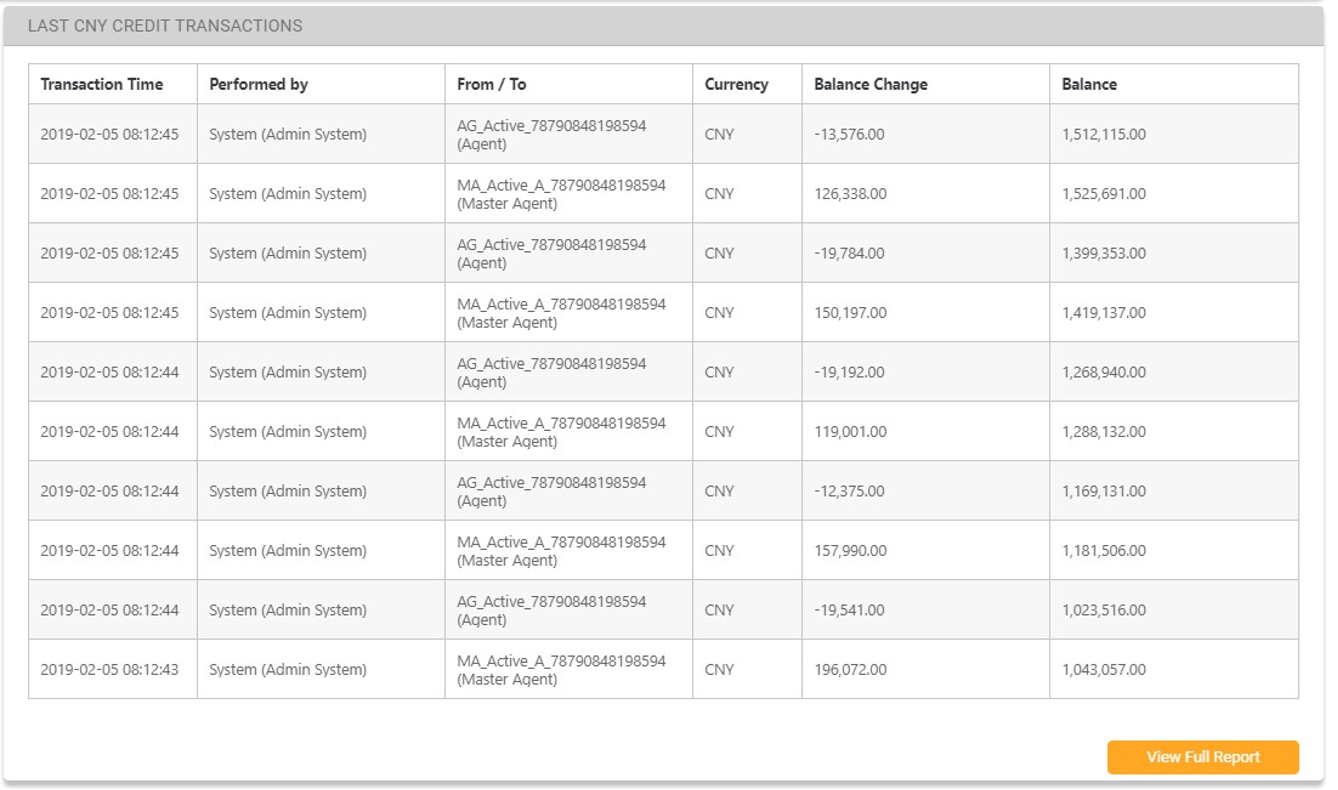
The Credits Screen will provide a quick overview of the last ten credit transactions.
|
Column Name |
Description |
|---|---|
|
Transaction Time |
The time that the transaction was made. |
|
Performed By |
The name of the user and the related entities name that performed the credit action. |
|
From / To |
The name of the entity and entity type that the action was performed on. |
|
Currency |
The configured and supported credit currency. |
|
Balance Change |
The amount of the credit transaction. |
|
Balance |
The updated balance. At the Agent level, player transactions are filtered out, so a balance column will not be displayed. |
|
View Full Report button |
The full pre-filtered report of the specific entity. |
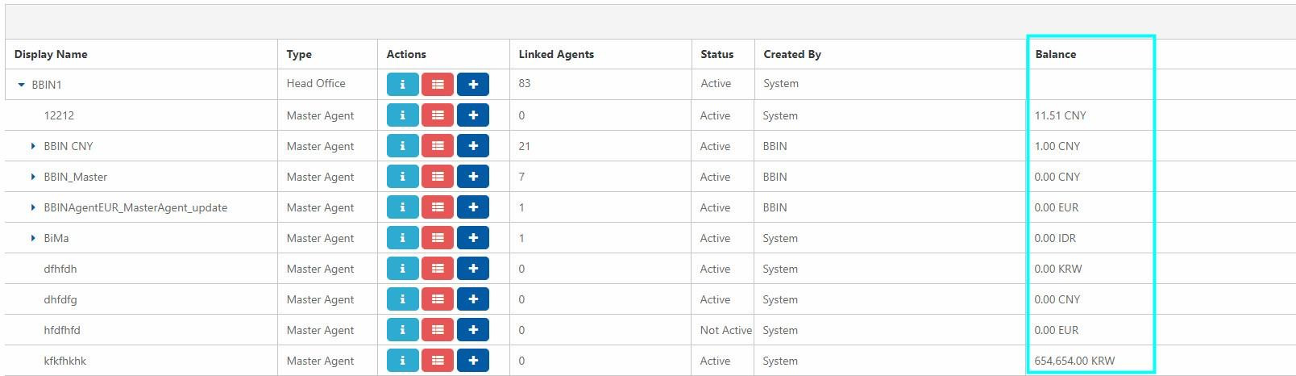
Balance Column
The balance column on the main Users Management page will display the last updated credit balance next to the relevant entities. If an entity has multiple currencies enabled, dedicated icons will be displayed for each currency. Selecting any of these icons will take the user to the entity info screen.
|