This article provides instructions on how to edit an offer.
Editing is only possible for offers that do not have any players assigned to them.
The user can edit an offer by clicking on the Edit Offer action icon. This icon can be found on the row of the offer on the Offer List page, or in the offer info section of the Offer Details page.
After making changes to the page, the Save button will become enabled, allowing users to click on it.
|
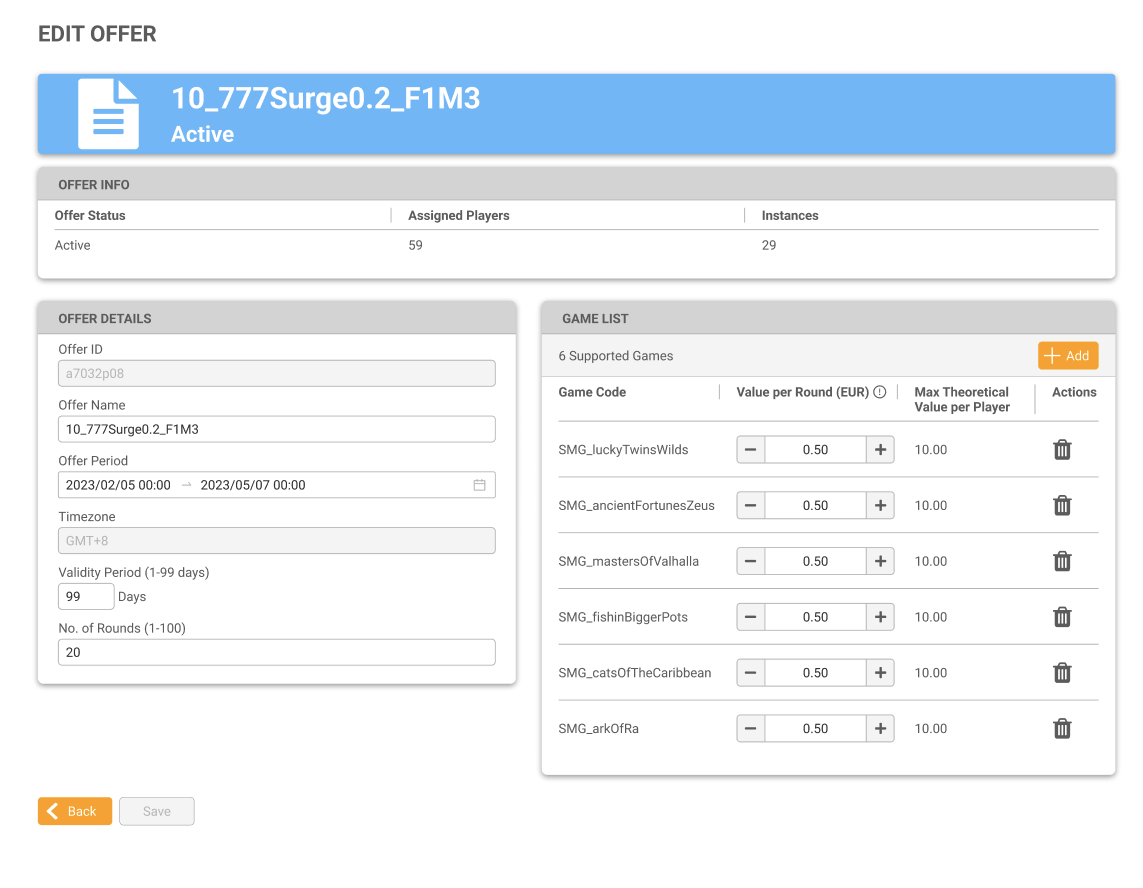
This page is split into three sections; Offer Info, Offer Details and Game List.
Offer Info
Modifications to this section are not allowed.
|
Column Name |
Description |
|---|---|
|
Offer Status |
The status of the offer; Active or Closed. |
|
Assigned Players |
The number of assigned players to the offer. |
|
Instances |
The number of assigned instances to the offer. |
Offer Details
The user can edit the offer information by inputting their desired changes.
|
Field |
Description |
|---|---|
|
Offer ID |
The unique identifier for the free game offer. This field is assigned by the system and cannot be altered. |
|
Offer Name |
Edit the name of the offer. This does not need to be a unique name. |
|
Offer Period |
Edit the time period of the offer. This is the time period that the user can assign a free game offer to players.
|
|
Time Zone |
The time zone field displayed on this page is purely for informational purposes and is based on the chosen time zone in the Settings page. |
|
Validity Period |
Edit the validity period for the offer. This is the number of days that the player can access the free game offer.
|
|
No. of Rounds |
Specify the number of rounds assigned to the offer, ensuring that the minimum value is set to 1 round, while the maximum value is capped at 100 rounds. |
Game List
Add supported free games to the offer by clicking the Add button. The user will be taken to the Add Supported Games page - see the Adding Games to the Offer section below for more information.
|
Field |
Description |
|---|---|
|
Game Code |
The name of the game code as chosen. |
|
Value per Round The value per round will be displayed according to the currency used by the Agent. |
Warning: The operator is responsible for all costs incurred from free game offers. The default value per round is automatically set to the minimum bet amount. If the desired value per round doesn't exactly match an available option in the game, the system will select the closest possible value. The value per round of games can be configured by typing the value up to 2 decimal places or by clicking the +/- buttons to adjust the value. |
|
Max Theoretical Value per Player |
The total amount of money an operator is expected to contribute if a player plays all available rounds in the game. Calculated by multiplying the number of rounds played with the value per round. |
|
Action |
Click the rubbish bin icon to remove the game from the list. |
Adding Games to the Offer
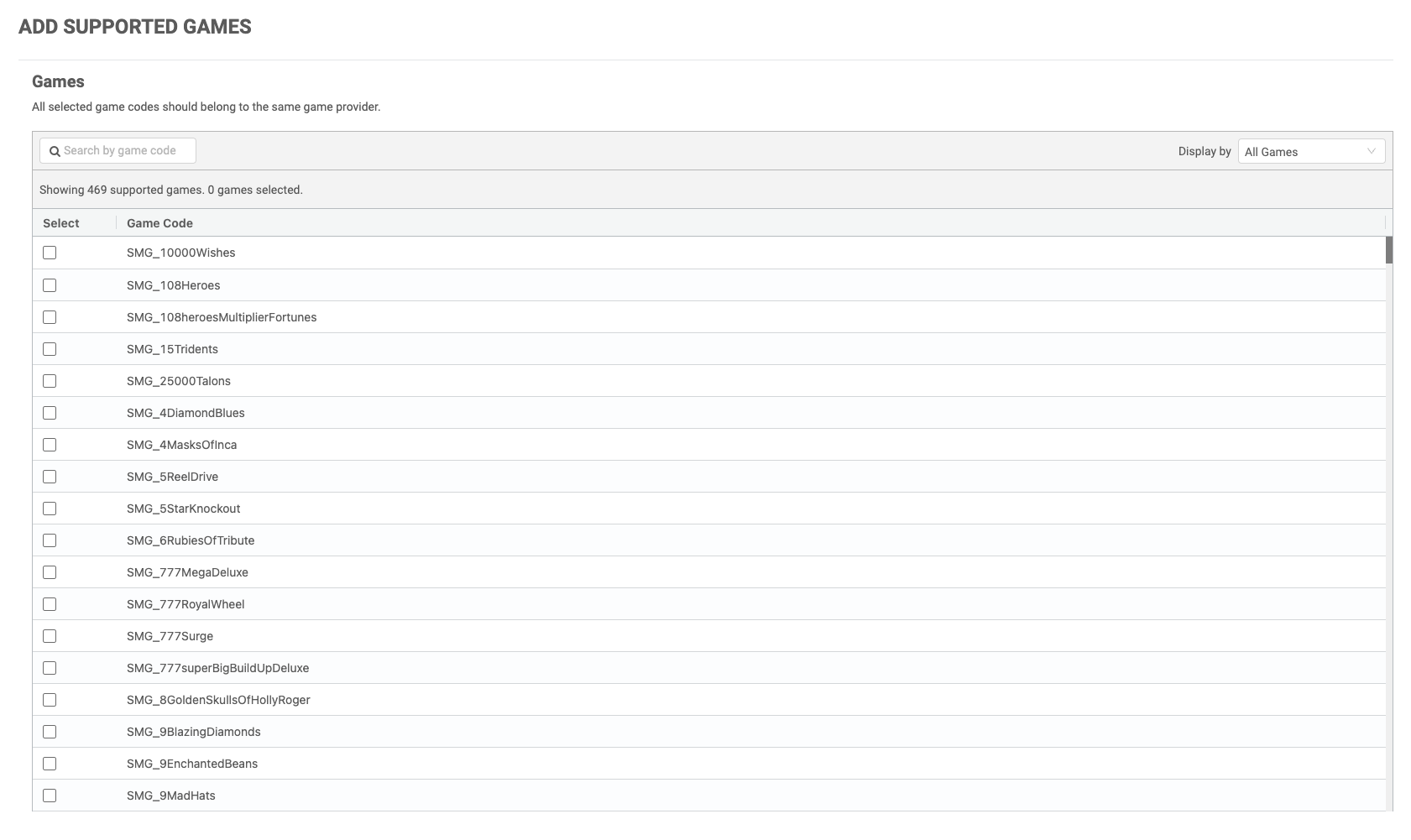
All selected game codes need to belong to the same game provider.
By clicking the "Add" button, users will be directed to the "Add Supported Games" page. On this page, a list of MG+ games that support free games will be displayed in alphabetical order based on the game code. Users have the option to select multiple games by clicking on the checkboxes. Furthermore, a search bar is available to facilitate finding specific games, and the list can be filtered to display either All Games or Selected Games. Once users complete their selection of games to include in the free game offer, they can click the Save button. This action will redirect the user back to the Create Offer page, and their chosen games will be displayed in the Game List table.