
In this update of MG+ Backoffice, we have removed the Player's Wallet section from the balance management table on the Player Info page.
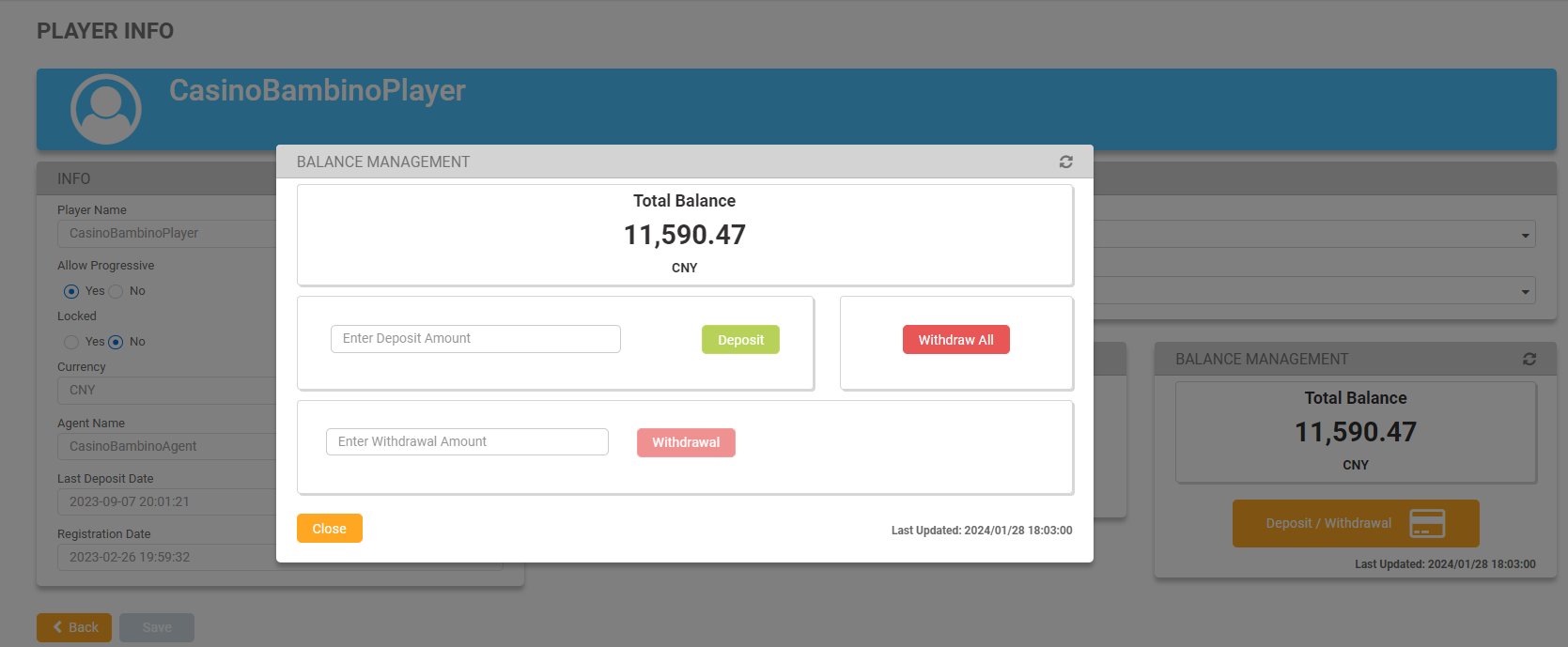
By clicking on Withdrawal, players can withdraw partial amounts from their wallet. However, it is important to note that valid withdrawal requests may be declined. Players can continue playing while their withdrawal is being processed, which may affect the amount they wish to withdraw.
To withdraw, enter an amount in the withdrawal text field, and click the Withdrawal button. The button will remain disabled until a valid amount is entered; this amount can be equal to or less than the amount displayed on screen.
After clicking on Withdrawal, a confirmation message will pop up. Clicking Accept will update the total balance amount.