
This article covers how to create a new user.
Logged-in users with the permission to add and edit users can access the Users List page and add new users by clicking the Add User button.
Info
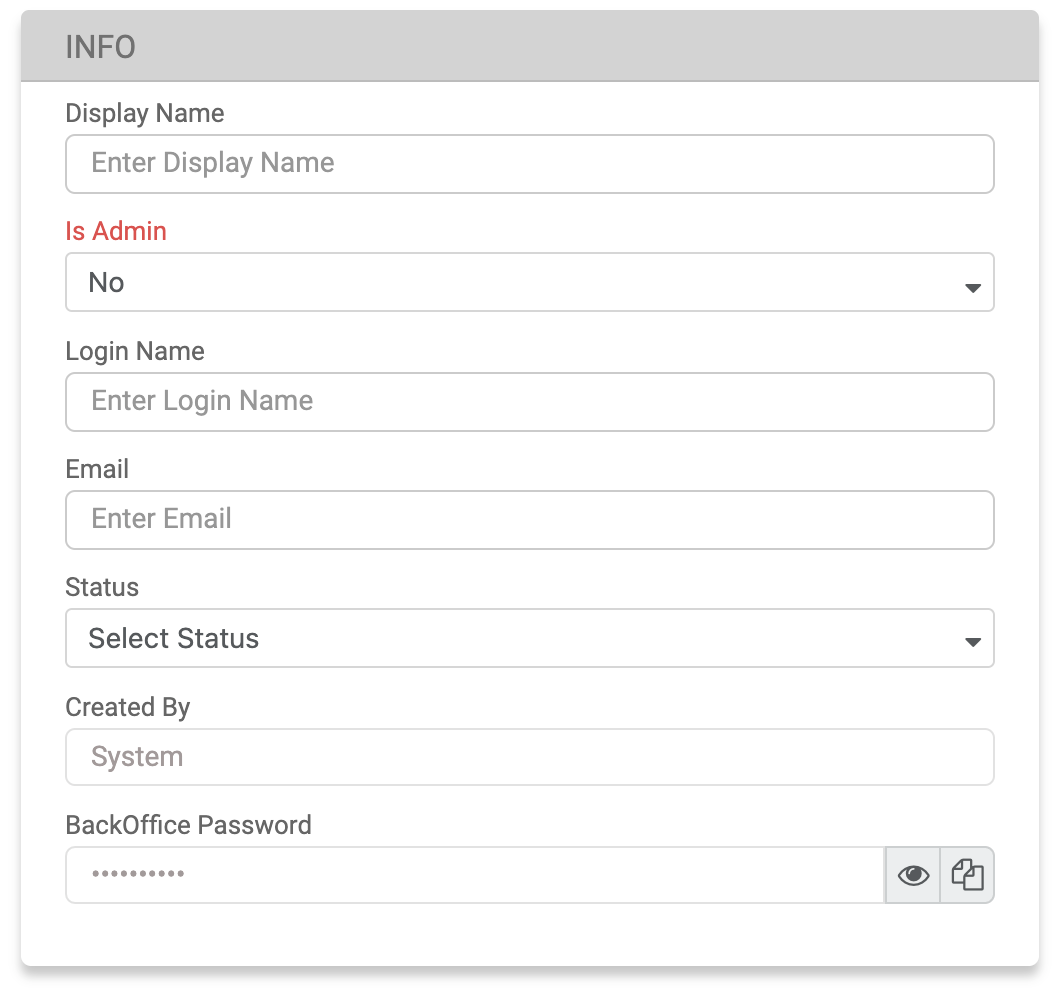
|
Field |
Description |
|---|---|
|
Display Name |
The display name must be alphanumeric (A-Z, 0-9), may include an underscore (_) or hyphen (-), and have a maximum of 50 characters. Additionally, it must be unique across the entire network. |
|
Is Admin |
Users that can be designated as Admins can be created only by existing Admin users. Once selected, all permissions and network permissions will be automatically enabled. |
|
Login Name |
The login name must be alphanumeric (A-Z, 0-9), and have a maximum of 256 characters. Additionally, it must be unique across the entire MG+ system. |
|
|
The email address of the user. |
|
Status |
The user's status can be either Active or Not Active. |
|
Created By |
The logged-in user's display name - this will be automatically populated. |
Entity Info
This information is only for display purposes and will be disabled for editing. The data shown includes: the name of the entity Owner and the currency of the entity.
Permissions
Use the checkboxes to allow users to have access to certain pages. The permissions available to a user are the same as those possessed by the entity's owner. The creator of the user cannot give permissions that they do not have themselves. These permissions will affect the user's access to the system. Use the Select/Unselect All checkbox to select or deselect multiple items at once.
Network Permissions
Users are granted Network Permissions which allow them to view certain branches of the network. This affects the data they see in reports and User Management lists. The creator cannot give permissions beyond those they possess themselves. The list is ordered in a hierarchical view (Head Office > Master Agents > Agents) based on the linked entity owner permissions. For example, if the linked entity owner is a Master Agent, they will only be able to view Master Agents and Agents linked to them.