
The tournament tab acts as the landing page for the tournament website. When there are active tournaments, it is broken down by tournament cards.
Tournament Types
There are two types of tournaments:
-
Regular tournaments: Tournaments that don’t require players to opt-in in order to participate.
-
Tournaments which require players to opt-in:
-
Opt-in by Tournament: Players will have to manually opt-in once and will thereafter automatically opt-in to all available rounds.
-
Opt-in by Round: Players will choose whether to opt-in to the specific round and can only opt-in to join between the round’s
optinStartDateUTCandoptinEndDateUTCtime.
-
Network vs Private Tournaments
Tournaments can be categorized into two types: network tournaments and private tournaments. In network tournaments, the playing field is open to all players affiliated with the currency, granting them access to participate in the event.
On the other hand, private tournaments are tailored based on client requests and are exclusively offered by specific Head Offices, meaning only players associated with these offices can take part in these tournaments.
Display Logic
Tournaments will be displayed on the site from displayStartDateUTC to displayEndDateUTC, as indicated by the API returns.
Tournaments are sorted in descending order, beginning with the nearest upcoming event at the top. Tournaments with an active status (coming soon, active) will be grouped at the top, while ended tournaments will be displayed last.
The sorting will be based on the following criteria: Tournament Start Date → Tournament End Date → Tournament Name (A → Z).
Example:
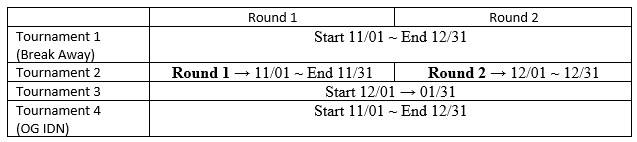
The display order on the website will be as below:
|
1 |
Tournament 2 [Round 1] |
Start Date Nov 01 |
|
|
2 |
Tournament 1 |
Start Date Nov 01 |
Tournament name Break Away |
|
3 |
Tournament 4 |
Start Date Nov 01 |
Tournament name OG IDN |
|
4 |
Tournament 2 [Round 2] |
Start Date Dec 01 |
|
|
5 |
Tournament 3 |
Start Date Dec 01 |
|
Tab Filtering
Players can use the three tabs within the Tournament List page to filter tournaments based on their status.
-
All (Default): This tab will display all tournaments available through the API.
-
Active: Players can use this tab to view tournaments that are currently ongoing, i.e., those that fall between the round start date and round end date.
-
Upcoming: This tab will show all tournaments that have been listed in the API but have not yet commenced. Only tournaments with a start date beyond the current date will be displayed here.
Games
Businesses have the flexibility to configure single-game or multi-game tournaments based on the operator's needs. Players who are logged in can access and participate in the games of their choice. However, for those who are not logged in, clicking on a game will result in no response from the system.
Single-game Tournament
-
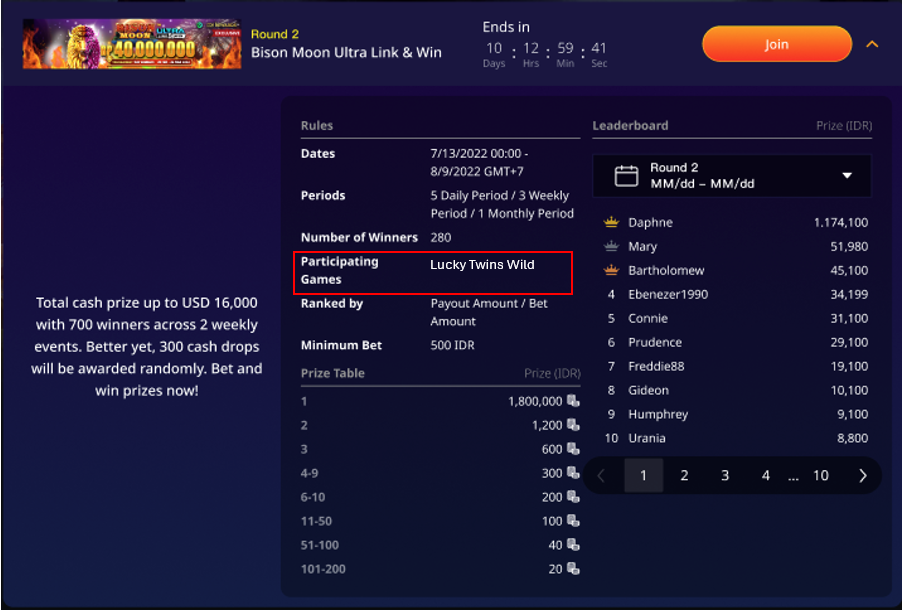
If the tournament is a single-game tournament, then once the round is active, the player can click on the button to launch the game directly.
-
The game name will be shown on the tournament card in the participating games field (same as what the promotion team types in the phrase). The text is not clickable.
-
If the player is not eligible for the game, they will see an error message when clicking the “Play” icon. They will not see any error messages when clicking the “Join” icon.
Multi-game Tournament
-
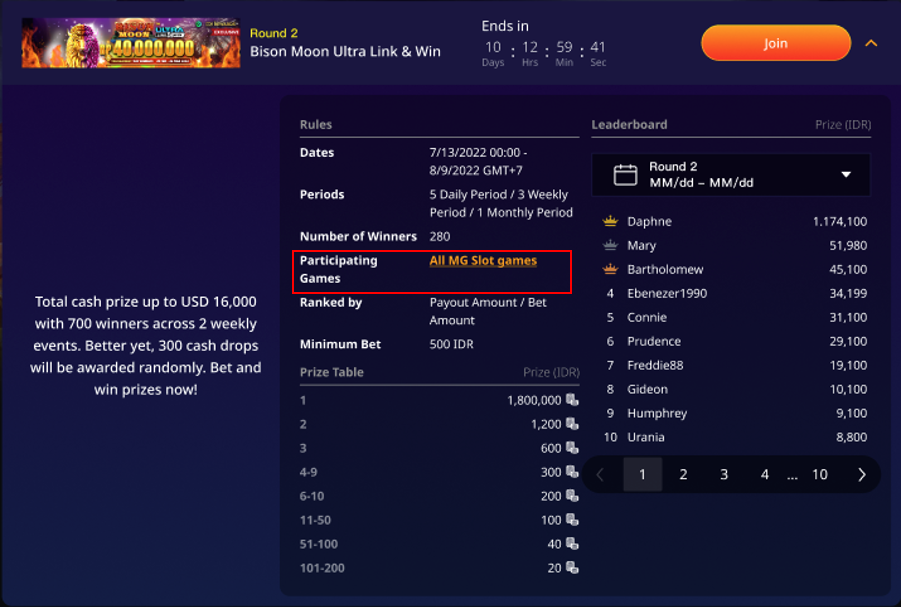
If the tournament contains more than one game, then Play Now will launch its dedicated game page with a list of games. The player can then click on the game icon to launch the game.
-
We will see “All MG Slot games” in the participating games field. The exact wording will be the same as what the promotion team types in the phrase.
-
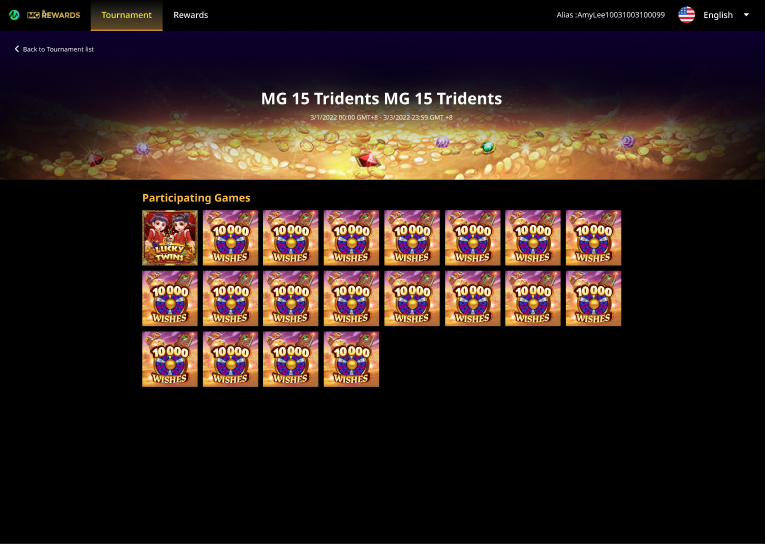
When the player clicks on the text, they will be directed to a game list page.
-
If the player is not eligible for the game, they will not see the game icon on the game list page.
Terms and Conditions
If there are tournaments, the terms and conditions displayed at the bottom of the tournament page remain constant and unchanged, regardless of whether the player is logged in or not.
