Coupon Configurations
Players cannot see and redeem items of other currencies.
-
For example, if the player’s currency is JPY, the player will not be able to redeem CNY items.
-
Even if the coupon has multiple items of different currencies, the players can only redeem the items that are of their player currency.
All items that can be redeemed with a coupon must be added to the coin store offer list by the business team.
-
It cannot be a regular item that is available in the Coin Store. If you want to add an item for a coupon, please create another item and write “V” in the Coupon Item column.
-
A single coupon can include multiple items, and these items may be priced in different currencies. The only requirement is that each item must have a unique currency, mirroring the logic used in the coin store.
When creating coupons, do not include multiple items of the same currency. The current UI doesn't support displaying multiple items to players when they redeem a single coupon.
Items that can be Redeemed
-
MG Shield
-
For Sweepstakes Players, the domain is https://m2play.basebit.net (returned from SPS) → Display Coin Back Shield
-
For normal players, the domain is https://mgw.basebit.net (returned from SPS) → Display Cash Back Shield
-
-
Lucky Draw
-
Free spins of single games and multiple games.
Restrictions for Coupon Codes
The MG Coupon restrictions are as follows:
-
The coupon code can have a maximum of 12 characters.
-
The coupon code can be set as a combination of numbers and alphabetical letters.
-
The coupon code is case-insensitive.
-
Each coupon code will be unique and cannot be recreated, however, the validity period can be extended if necessary. Note that the coupon can only be valid within a 6 month validity period - a new duplicate coupon with a different set of dates must be created otherwise.
-
Players can redeem multiple coupons but cannot redeem the same coupon twice.
Coupon icon display logic on the GTB menu (Game Page)
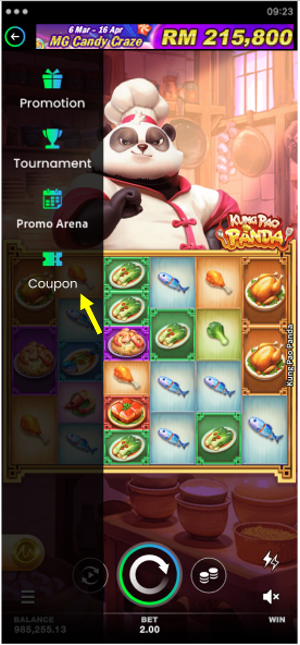
The coupon icon will appear for players whose entities possess an available coupon. Otherwise, the icon is not displayed.
Coupon User Flow
The coupon icon will appear on the GTB for players whose entities are offering the coupon.
To redeem a coupon, players follow these steps:
-
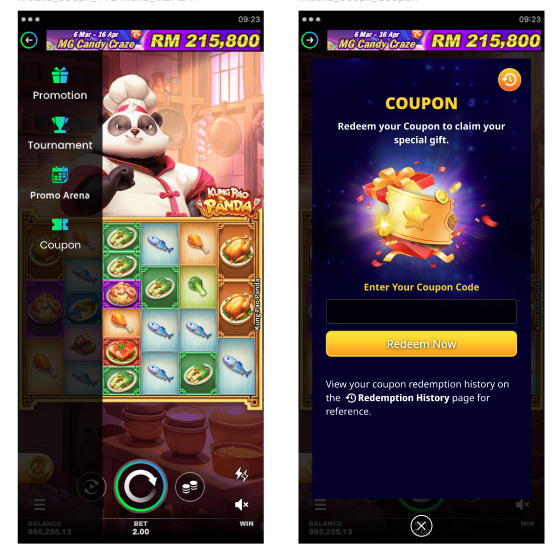
Click the GTB while in-game.
-
Select the coupon icon that appears on the GTB.
-
On the coupon claim page, enter the coupon code and click "Redeem Now."
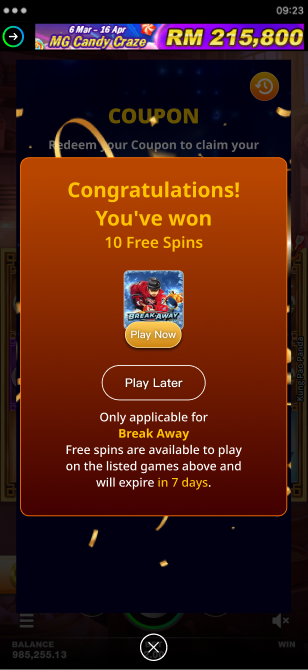
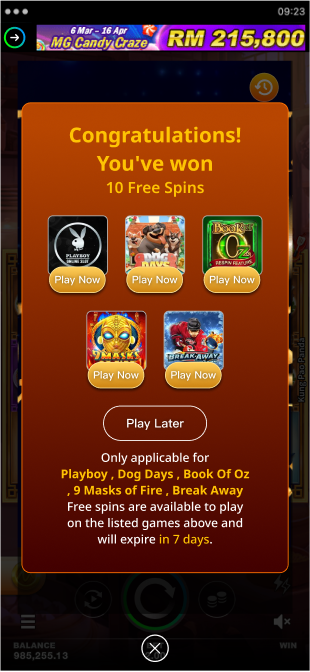
After redeeming the offer, players will see a congratulations message.
Free Spins
-
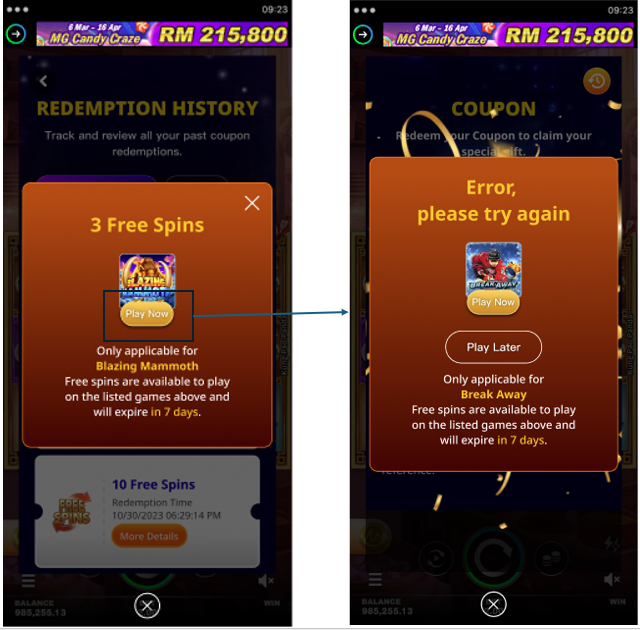
When a player clicks "Play Now," they'll launch the game and can use their free spins.
-
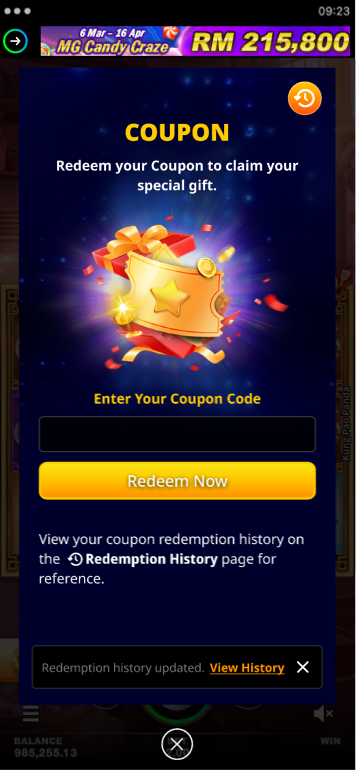
When players click "Play Later" or the "X" button, the popup modal closes, returning them to the coupon page. They'll see a notification, "Redemption history updated. View History" which will disappear after 5 seconds.
Items other than Free Spins
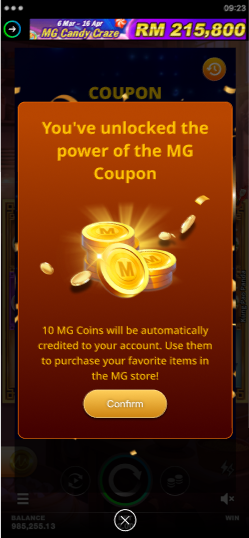
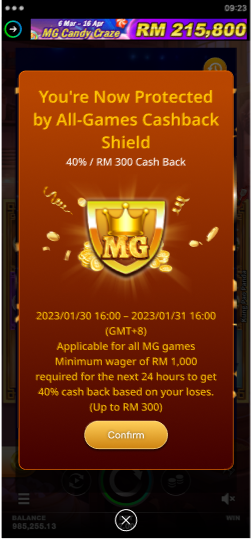
When the player clicks "Confirm" or "X", the popup modal will close, returning them to the Coupon page. They'll then see a notification: "Redemption history updated. View History." This message will disappear after 5 seconds.
-
MG Coins
-
MG - Cashback Shield (All Games)
-
MG - Cashback Shield (Single Game)
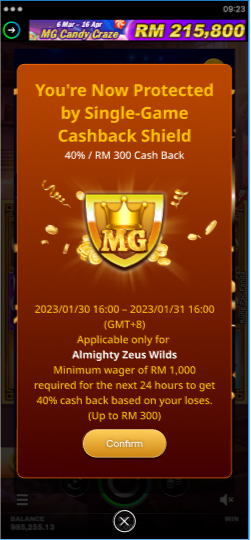
-
M2 Play - Coinback Shield (All Games)
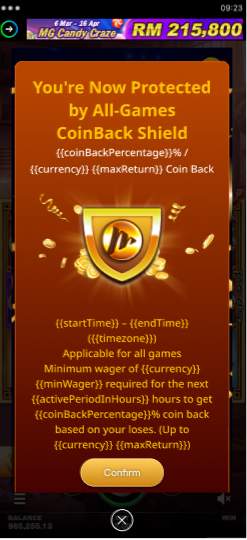
-
M2 Play - Coinback Shield (Single Game)
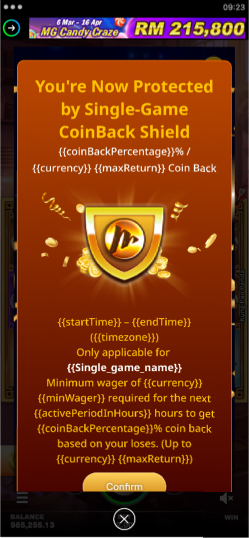
-
1-Day Lucky Draw / 1-Day Lucky Draw Package / 3-Day Lucky Draw
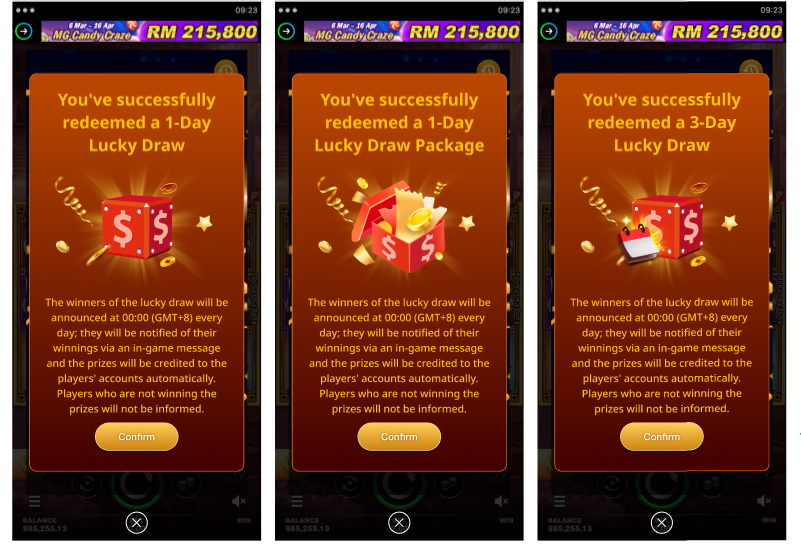
Players will find their redemption record on the following pages, depending on gift availability:
From the Coupon Page
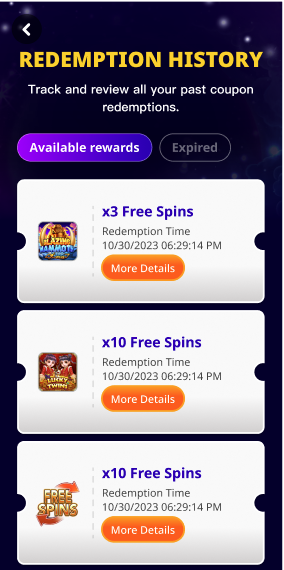
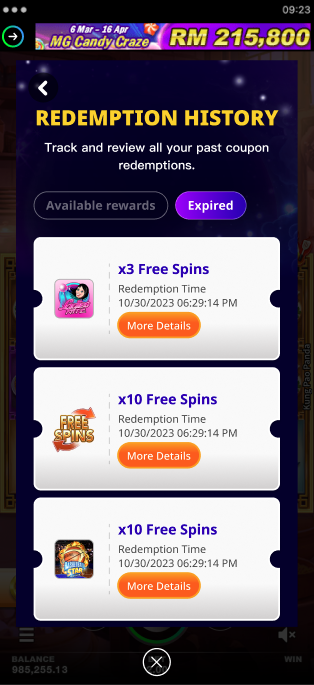
Definitions of Available and Expired Rewards
|
Types of Gifts |
Definition of Available Rewards |
Definition of Expired Rewards |
|
MG Coins |
N/A - will never be available |
Coins added to the player’s account. |
|
1-Day Lucky Draw |
Before the lucky draw time |
After the lucky draw time |
|
1-Day Lucky Draw Package |
Before the lucky draw time |
After the lucky draw time |
|
3-Day Lucky Draw |
Before the lucky draw time |
After the lucky draw time |
|
Single-Game MG Shield |
Before the shield end date |
After the shield end date |
|
All-Games MG Shield |
Before the shield end date |
After the shield end date |
|
Free games (single game or multiple games) |
Before the instance end date |
After the instance end date |
User Flow of Available Rewards
-
When players click on “More Details” on the card, they will see a pop up modal to view the details.
-
For Free Spins rewards, players will be able to launch games from the pop up modal.
User Flow of Expired Rewards
-
When players click on “More Details” on the card, they will see a pop up modal to view the details.
-
Players will no longer be able to launch games for expired Free Spins rewards.
From the Player Zone of MG World
If the player is not eligible for MG World, they will not have access to the Player Zone.
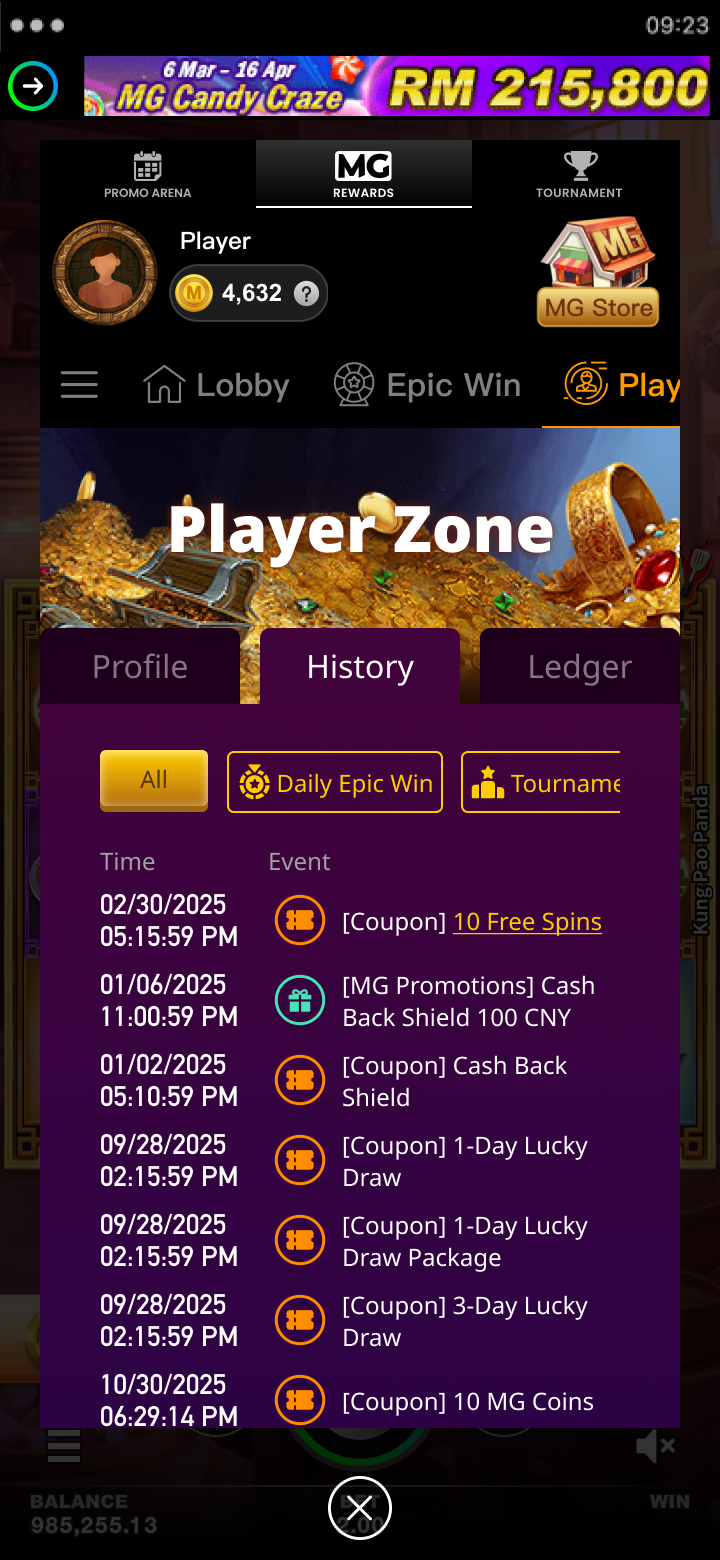
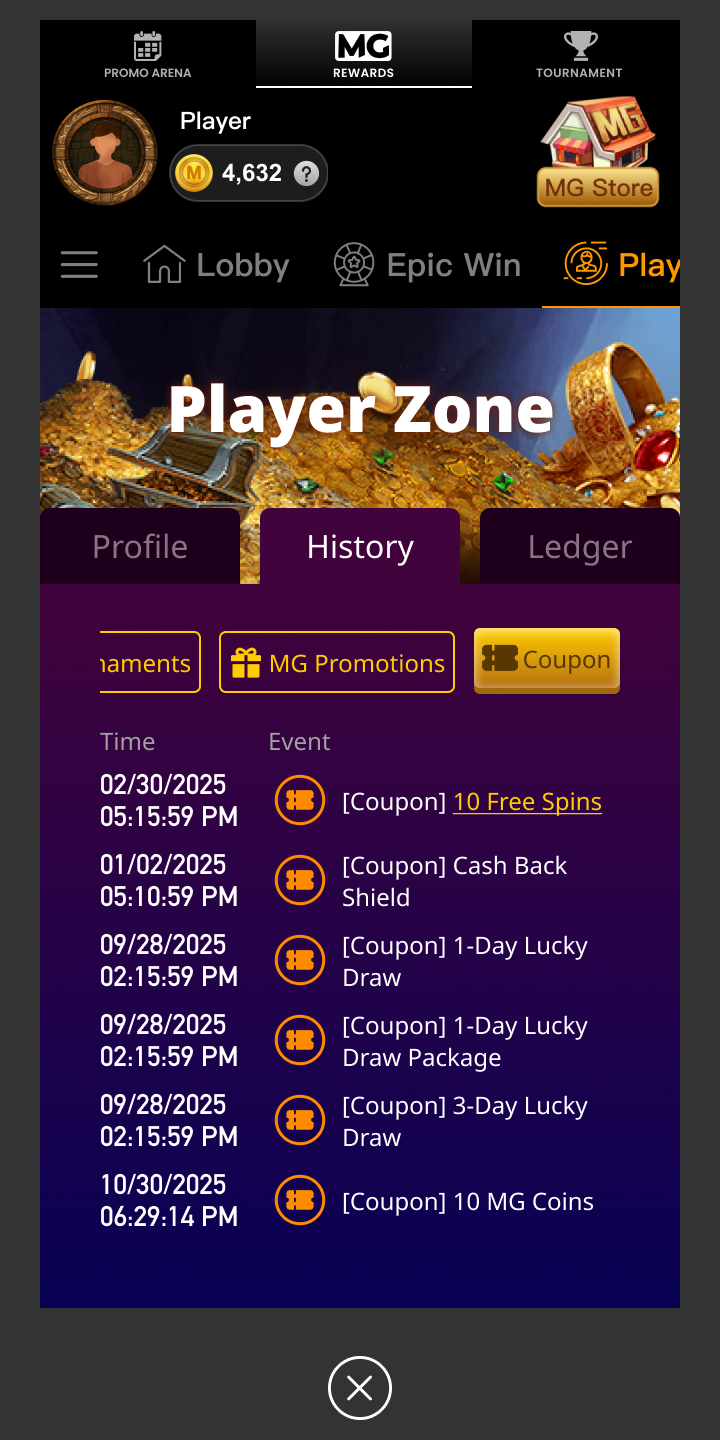
When players click on the “Coupon” tab, they will only view all the events related to the coupon feature.
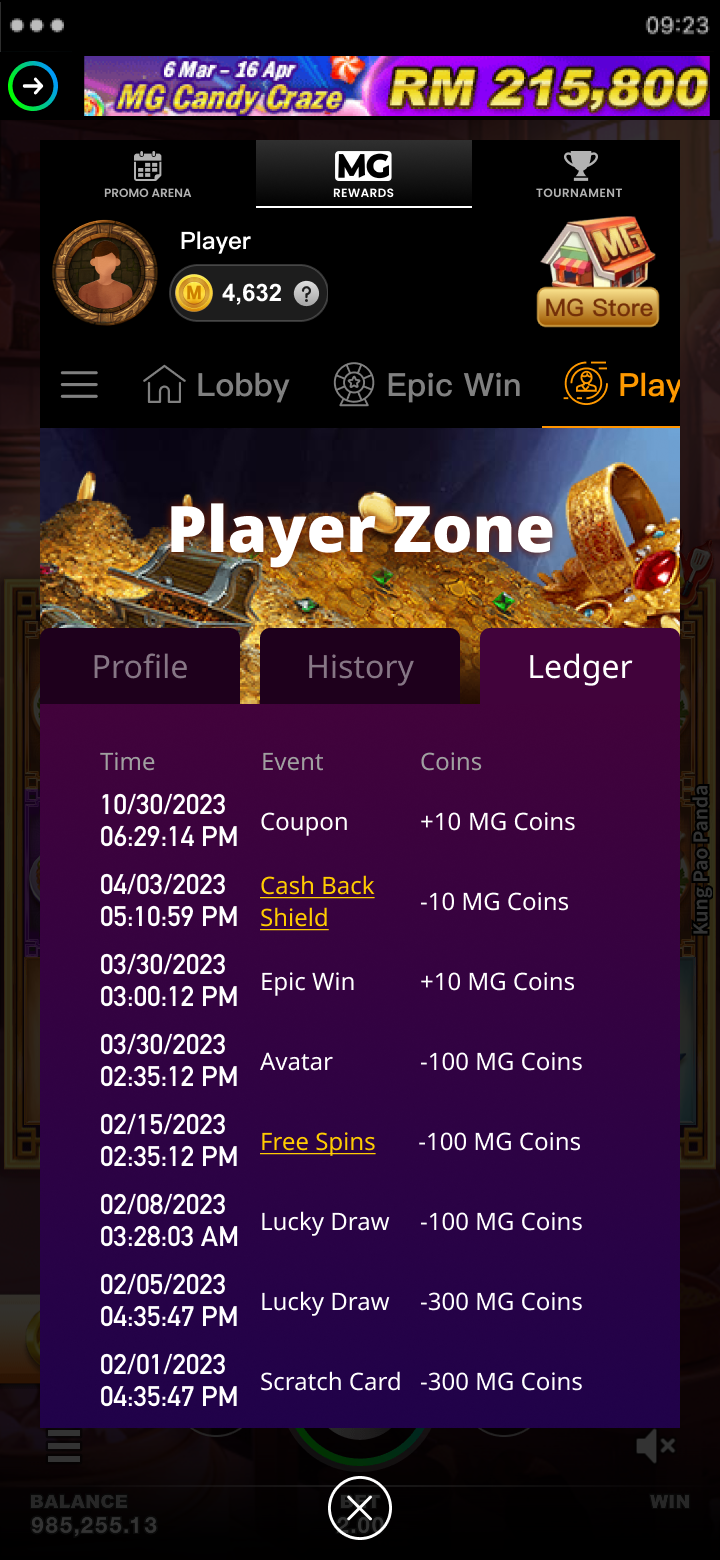
Ledger page (from the Player Zone of MG World)Only contains records related to coupons that can be redeemed with MG Coins.
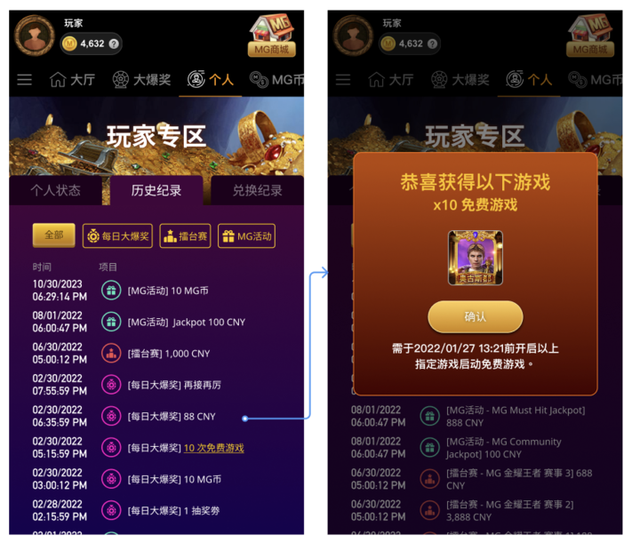
Free Spins
-
Players can view the details of a Free Spin event record by clicking it, but game launch functionality is not available.
MG Shield
-
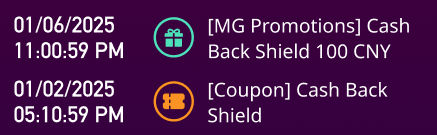
If players use a coupon to redeem a shield item and get cash back from the shield, they will see two records on the player zone page.
-
If they do not get any cash back from the shield, they will not see the following record on the player zone
-
[MG Promotion] Cash back shield XXX {Currency}
-
Other items
-
Just a text record, without any navigational ability.
Error Handling
Coupon Validation Scenarios
When players click on the “Redeem” icon, they will see the following error messages if they encounters the following scenarios.
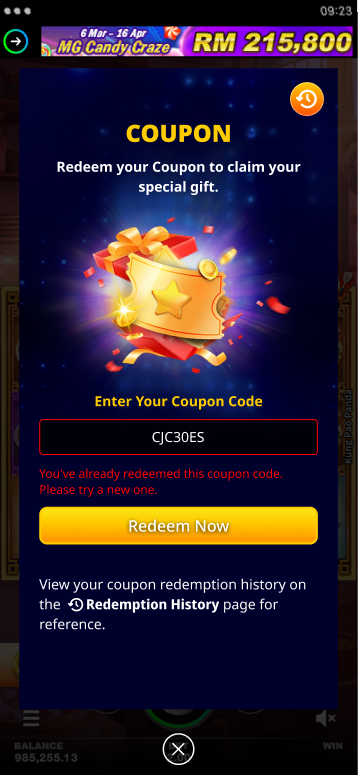
The validation of coupon codes may involve the following scenarios:
|
Scenario |
Description |
|---|---|
|
Already Redeemed |
This occurs when a player tries to redeem the same coupon code more than once and will show a message indicating that the coupon has already been redeemed. |
|
Expired Coupon |
This occurs when a player tries to redeem a coupon that has already expired. A message will appear notifying the player about the expired coupon. |
|
Invalid Coupon |
This occurs when a player tries to redeem a coupon that is not recognized by the system. A message will be displayed indicating that the coupon code is invalid. |
|
Quota Expired |
This occurs when a player tries to redeem a coupon that has reached its quota limit. A message will be displayed indicating that the coupon code has been fully redeemed. |
|
Retried Max Out |
If a player enters an incorrect coupon code a certain number of times consecutively, they will be temporarily unable to redeem coupons for a specified period of time. For example, 10 failed entries in a row will lock the player from redeeming any further coupons (regardless of the coupon code) for 5 minutes. These values can be configured and modified. |
|
Player has already redeemed any MG Shield item |
When the player types the MG coupon code to redeem a MG Shield, an error message will pop up stating that they are already currently protected by a MG shield. |
|
General Error |
An error message with appear telling the player to try again later. |
Error message when launching games for free spins
When players click on “Play Now” but fail to launch game for free spins popup, they will see an error.