
-
Create a page for each release under this folder https://spiral.atlassian.net/wiki/spaces/TEG/pages/4234772513/GAO (the pages are categorized into different years).
-
Naming convention of the page: DD/MM/YYYY GAO
On the GAO confluence page, the promotion team needs to provide the following information: (an example for your reference: https://spiral.atlassian.net/wiki/spaces/TEG/pages/4506976265/29+4+2025+GAO+-+Draft)
-
List of currencies and mapped image language (Chinese or English game icons)
-
All currencies
-
Default (if no currency information is available, the system will show the default list)
-
Customized list of headoffices that need special game icons
-
-
Game list of each currency
-
"Show in MGW Lobby" option is to display the game icon in the lobby
-
Please note that the lobby can only display up to 16 game icons.
-
If you provide fewer than 16 game icons, only the icons you provide will be shown.
-
If you provide more than 16 game icons, only the first 16 will appear in the lobby. If a player does not qualify for one of the first 16 icons, it will be replaced by the 17th icon or others in the list.
-
-
The “Jackpot,” “New,” “Hot,” and “Arcade” options are used to assign game tags in the UI.
-
Each game icon can only have one tag selected at a time. For example, if a game is tagged as “New,” it cannot also be tagged as “Hot” simultaneously.
-
Once a tag is selected, it will appear on the game icon.

-
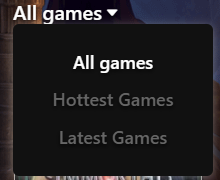
For the “New” and “Hot” tags, in addition to displaying on the game icon, users can find these games in the lobby dropdown. When the user selects “Hottest Games,” only games with the “Hot” tag will be shown. Similarly, when “Latest Games” is selected, only games with the “New” tag will appear.
-
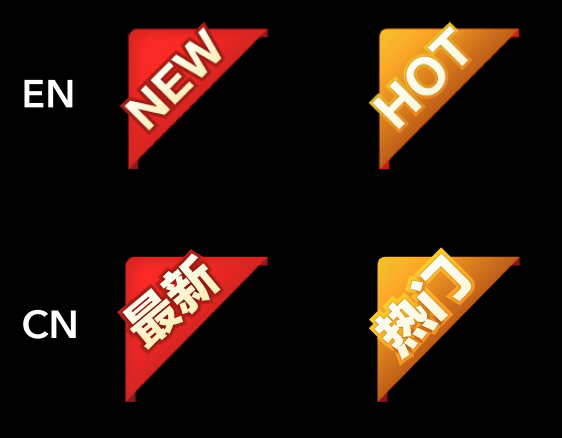
The “New” and “Hot” tags are available in both English and Chinese.
-
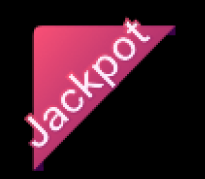
The “Jackpot” and “Arcade” tags only affect the game icon and do not have language versions.
-
Jackpot
-
Arcade

-
-
-
-
Customized game list of headoffices that need special game icons
-
The guidelines are the same as the game list of each currency
-
Headoffices of different currencies can share the same game list
-
Please provide the HO ID, HO Code and Network ID.
-