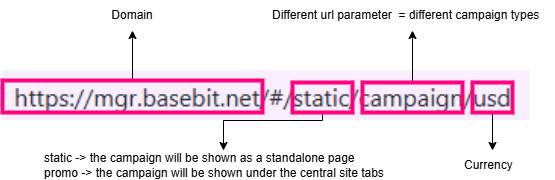
Types of campaigns
Based on Audience
-
Network Campaigns
-
These campaigns are available to all users with the specified currency.
-
For example, a network campaign for USD is accessible to all players using USD.
-
-
-
Bespoke
-
These campaigns are exclusive to users under specific operator(s).
-
For example, a bespoke campaign for operator A is only available to players of operator A.
-
-
Based on Function
-
Static Campaigns
-
A static campaign features a single, non-interactive static image. It does not include any active functions or interactive elements.
-
-
Game Launch Campaigns
-
A game launch campaign displays a static image accompanied by game icons below it; Eligible players can click on these icons to launch the games.
-
Game launch function:
-
Players who are logged in can click the game icons to launch the game.
-
Players who are not logged in cannot launch the games by clicking on the icons.
-
Logged-in players without permission to launch a game will also be unable to use the game icons.
-
-
To direct players to the appropriate campaign and its associated games, the content code must be specified when calling the API. Refer to the Content Code Map for campaigns to map content codes to URL parameters.
-
Players may also access campaigns directly using URLs (e.g.,
https://mgr.basebit.net/#/static/game-play/usd), but launching games without a valid content code is not permitted.
-
.gif)
Terms & Conditions (T&C) Feature
-
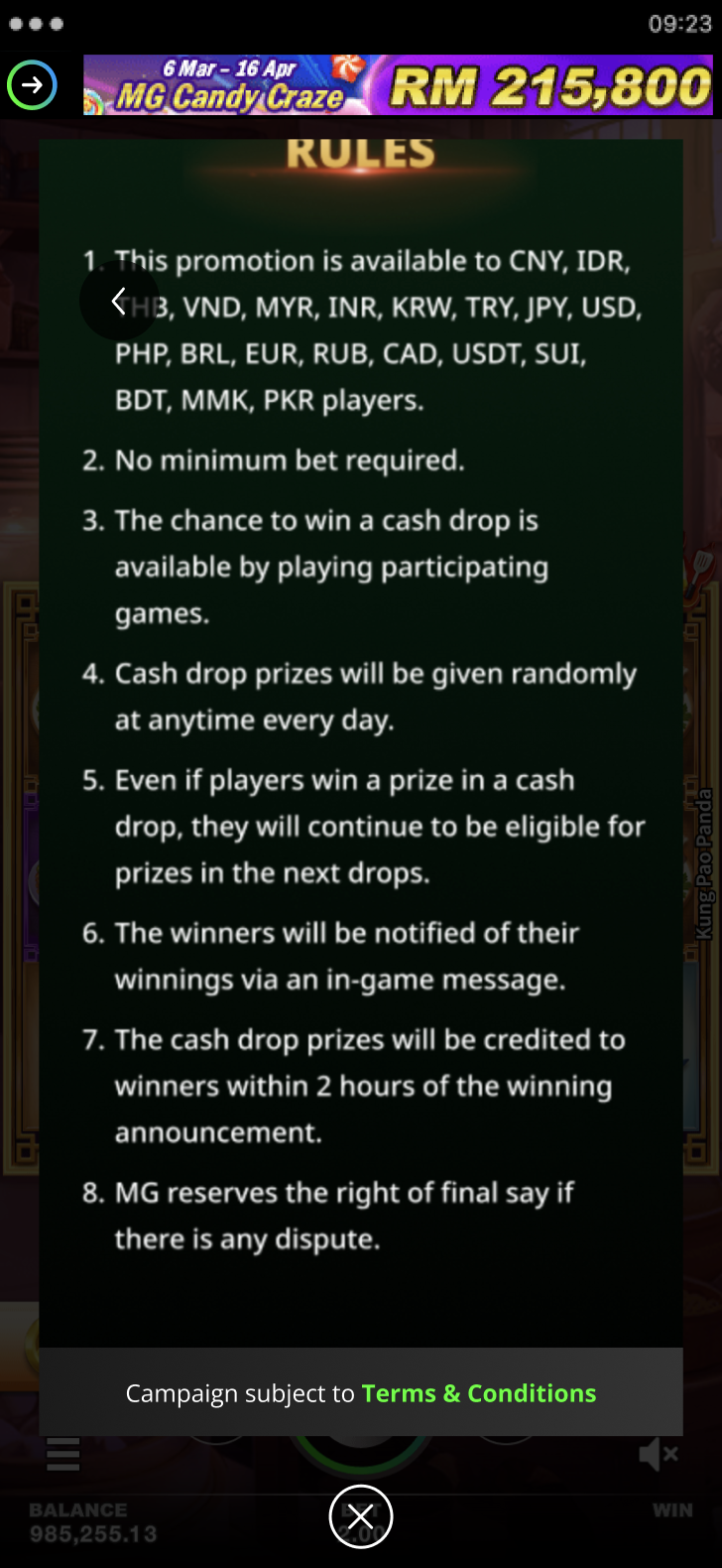
Campaign pages in M2Play may display a Terms & Conditions (T&C) footer at the bottom, which is campaign-specific with hyperlinks.
-
The promotion team can edit T&C content directly via the Phrase folder without requiring deployment, enabling instant updates on the live production site. For more information about how to configure the T&C, refer to Campaign Configuration.
-
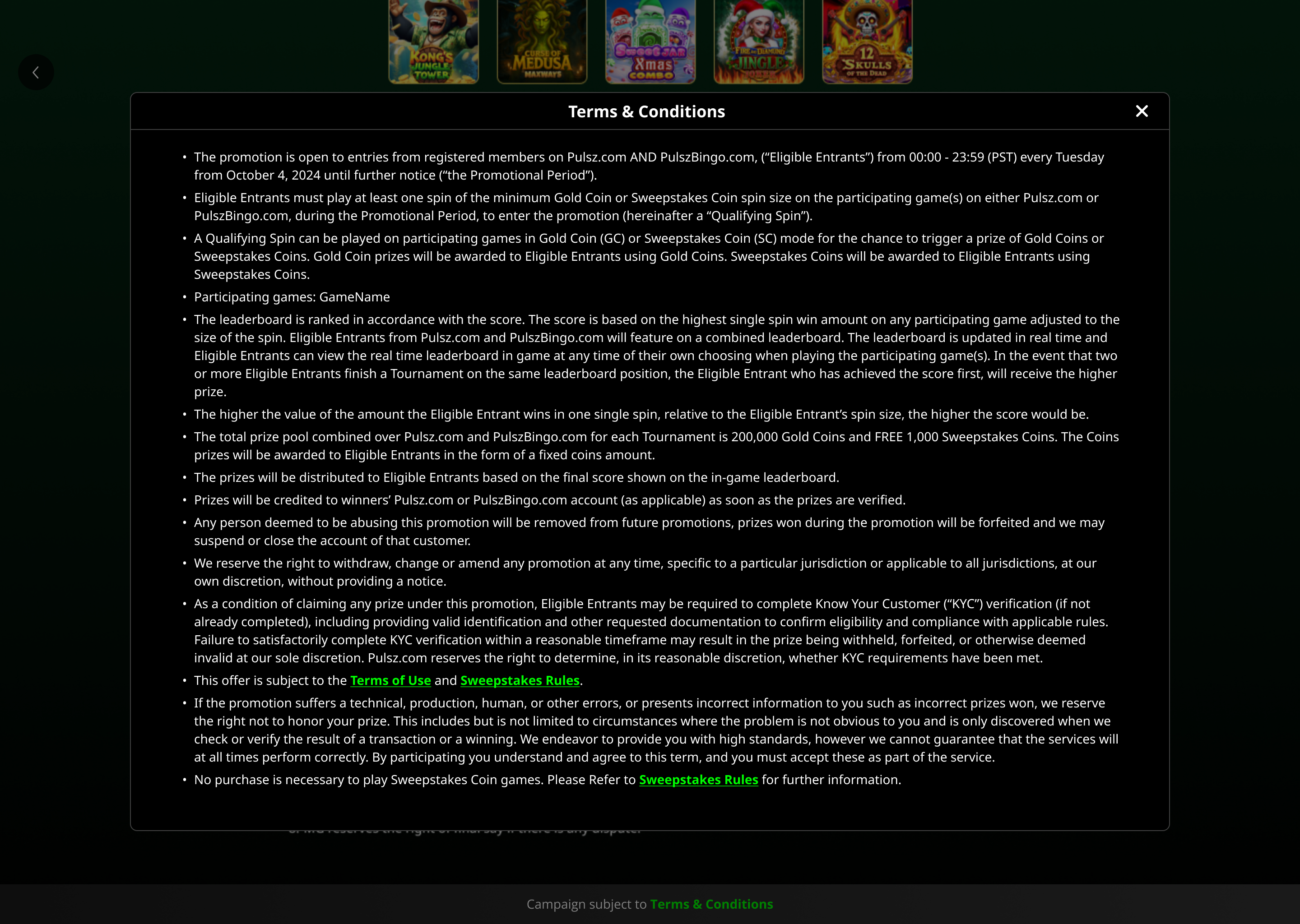
Clicking the Terms and Conditions button opens a dedicated T&C page where the full Terms & Conditions content is displayed. Certain words may contain hyperlinks that open external URLs in new browser tabs.
URL List of All Campaigns
https://bigasia.atlassian.net/wiki/spaces/SHSC/pages/2685468673/MG+Campaign+URLs+Master+List+V2
Structure of the URL