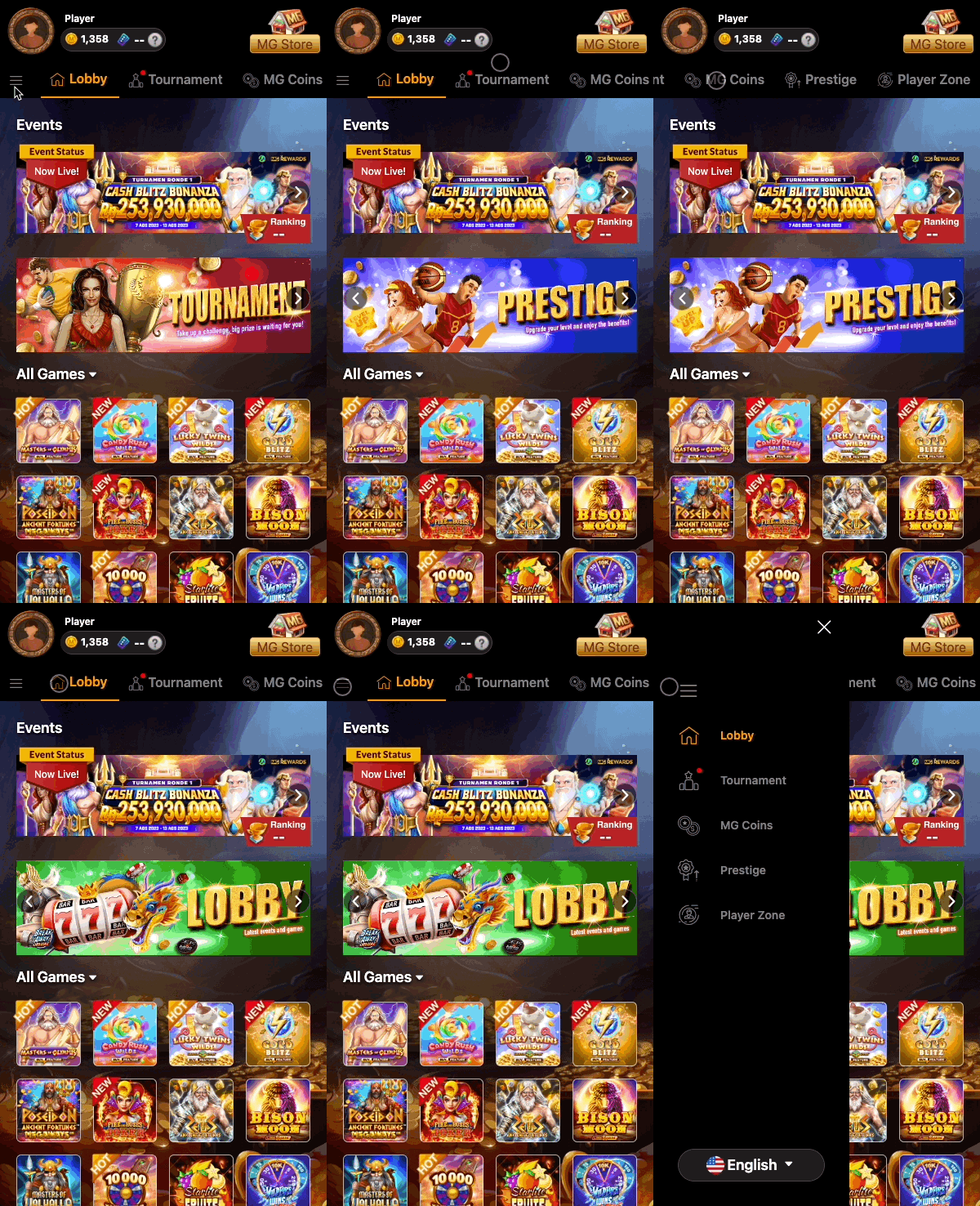
The top of the homepage is a static element that all users can access, providing a quick overview and access to the main functions of the MG Rewards site, including the following features:
-
Quick Player Overview
-
Language Selector
-
Link to the MG Store
-
Quick Access Site Tools
Quick Player Summary
The quick player summary on the top left corner of the screen provides an overview of the player’s information.
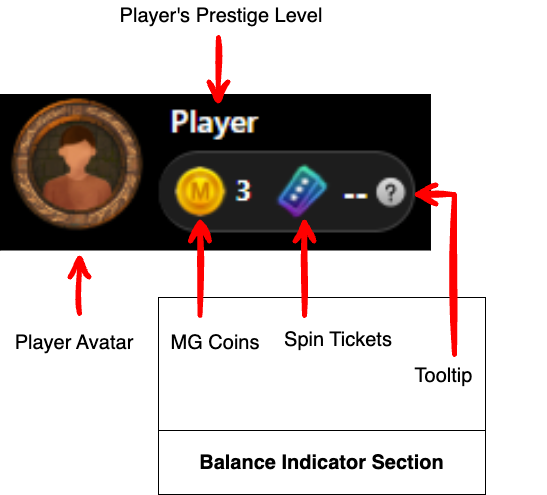
Player Avatar
The player can click on this player avatar to be taken to the Player Zone page. The only available avatar is the default avatar.
Player’s Prestige Level
This indicates the player’s prestige level.
Balance Indicator
This balance indicator section will auto-refresh every minute.
Balance indicator scenarios:
-
If the player is not authenticated within the system then the player will see dashes instead of numbers next to each of the indicators.
-
If the player is authenticated within the system and has MG Coins and Spin Tickets in their balance, then the player will see their balance on display.
MG Coins
MG Coins serve as a valuable in-game currency that players can amass through their engagement with MG games. These coins can then be exchanged for an array of enticing items available in the MG Store.
To gain a deeper understanding of how to accumulate and effectively utilize this in-game currency, players can simply click on the MG Coins link conveniently located in the navigation bar.
This will auto-refresh every 60 seconds.
Spin Tickets
Spin Tickets can be obtained by players when they put in a wager during the Epic Win campaign period, rewarding players with the opportunity to spin the Epic Win wheel. To gain a deeper understanding of how to accumulate and effectively utilize this collectible, players can simply click on the Epic Win link in the navigation bar when an Epic Win campaign is active.
This will auto-refresh every 60 seconds.
Tooltip
This is an icon that the user can click to open a modal that informs them about MG Coins and Spin Tickets.
Language Selector
The language selector is located on the top left of the page for desktop users. Mobile users can access it by clicking the hamburger menu.
Please see the Currency section for a list of currencies and supported languages.
.png?cb=bbeb9c5d80dfd128e2915ce80f05e3db)
.png?cb=22df9dbb5d1860f492a5059b105954d5)
Link to the MG Store
This is a button linked to the MG Store, where players can use their MG Coins to purchase a variety of items such as cashback, lucky draw chest boxes, and free spins.
Quick Access Site Tools
This is a navigation bar with links to other pages on the website.
Mobile users have the option to either swipe across the navigation bar to browse through the links leading to various pages or simply tap the hamburger menu to access a list of pages displayed in a navigation drawer.