
Access Google Analytics here:
https://analytics.google.com/analytics/web/?pli=1#/analysis/p271472759
Contact the RCT team for access enquiries.
-
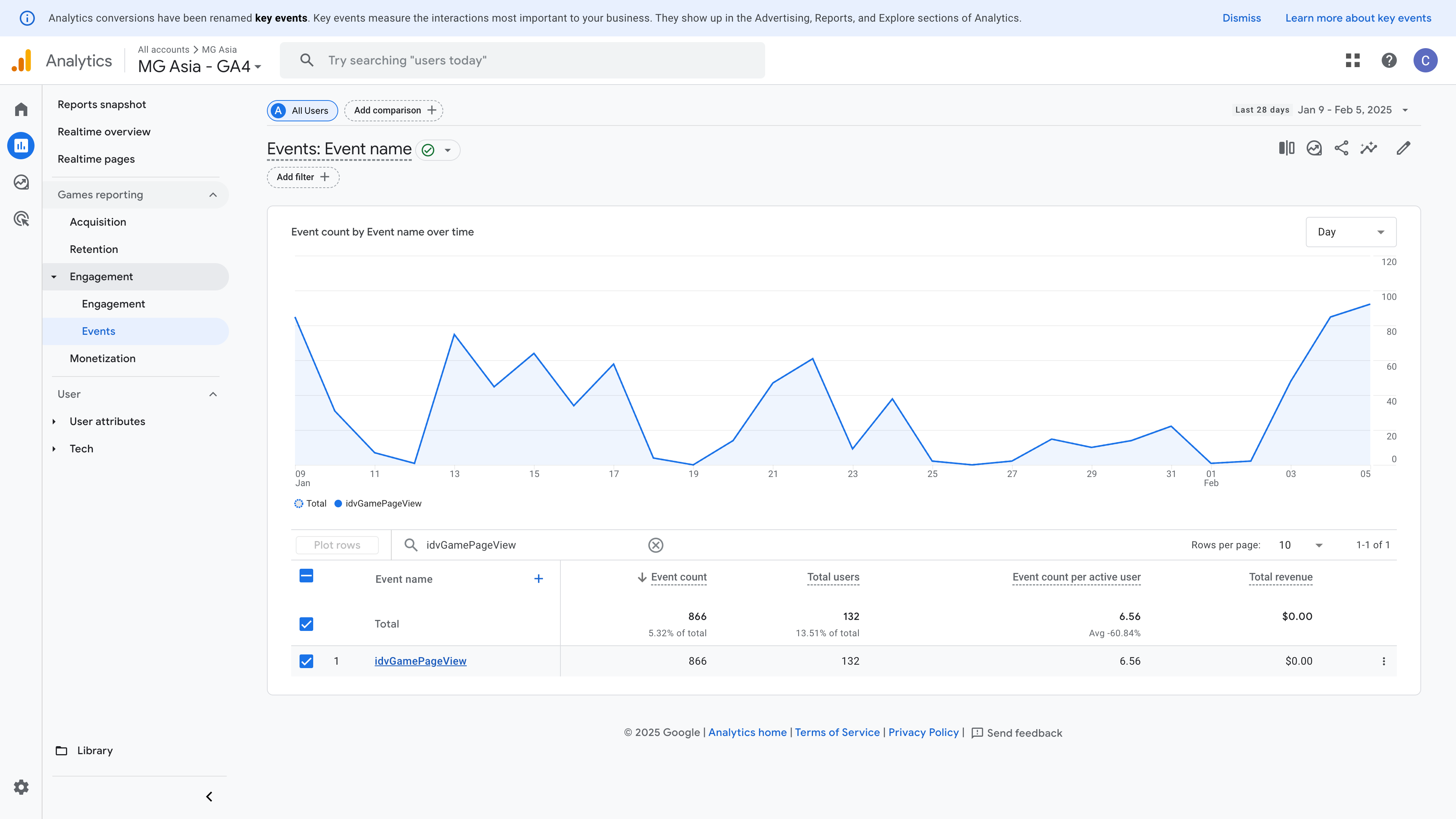
To see the statistics for the events listed, go to Reports > Engagement > Events.
-
Search the table by the event name. You can click on the event name to access more statistical data related to the event.
|
Event |
Details |
|---|---|
|
idvGamePageView |
Page views of the game details page. |
|
idvGameLaunch |
Clicked the Play Now icon on the game details page. |
|
idvNewsPageView |
Page views of the news page. |
|
idvPromotionsPageView |
Page views of the promotions page. |
.png?cb=72df63ab641496657878dcd0fae128ae)