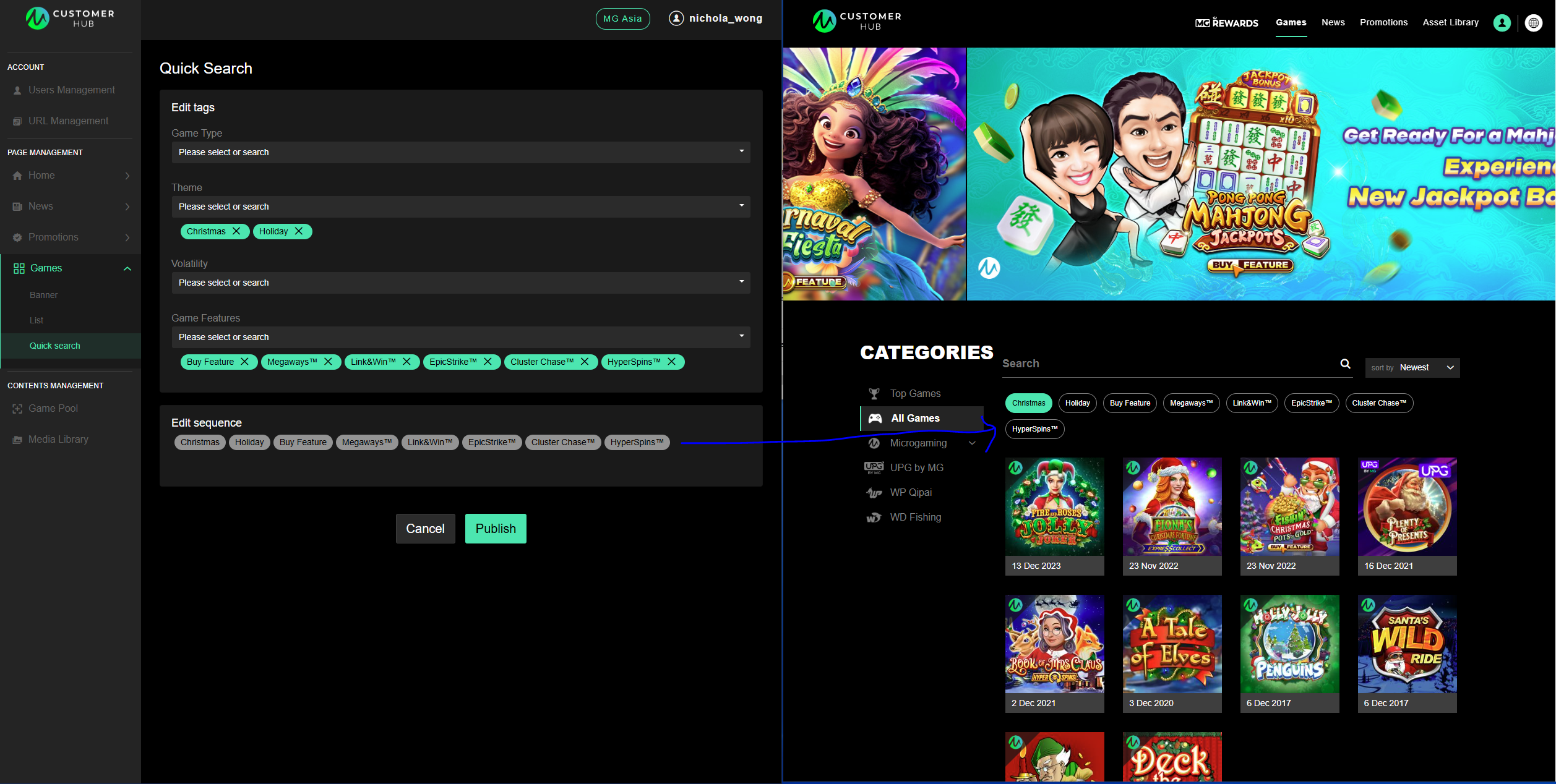
To edit tags and their sequence on the mgasia.com site:
-
When creating/editing a game under Game Pool, you can select multiple Themes and Game Features that the game belongs to. Once saved, the game will subsequently be grouped under that category on the microgaming.game site.
-
Under Games > Quick Search, users can edit the tags to show up under the search bar of the microgaming.game site.
-
Users can also edit the sequence of these tags.