
Types of News
The News page categorizes articles into two sections: Game and Happenings. Within the News page, the ALL section displays every type of news. News pertaining to games can be found in the GAME section, while news related to happenings is listed under the HAPPENINGS section.

To configure this, select the relevant tag in the Add/Edit News page within the CMS. It is important to note that you cannot select both "Game" and "Happenings" tags; only one tag can be selected.
News Thumbnail
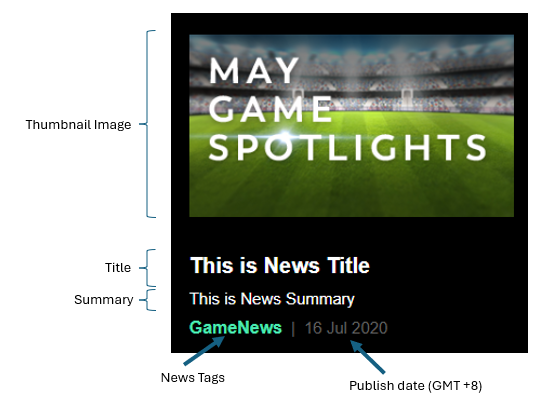
The below image shows the structure of the news thumbnail on the news page. This can be configured in the Add/Edit News page in the CMS.
News Details
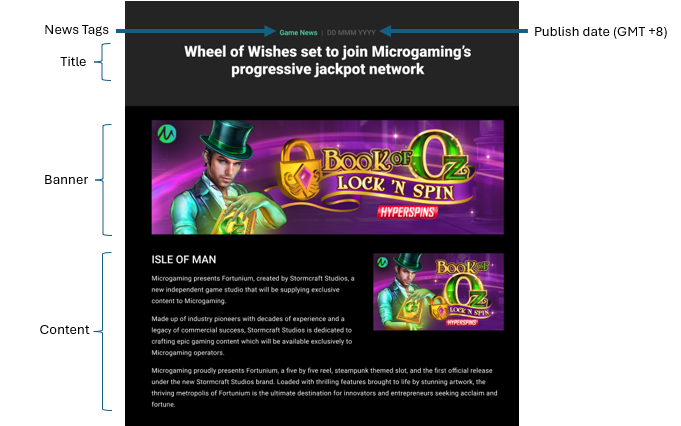
Clicking on a news thumbnail image directs to the news details page. Configurations for the banner image and content are available in the Add/Edit News section of the CMS.
Insert Table Function
You can insert a table into the news content.
-
Click on the table, then the cell properties icon to configure the cell properties (e.g. colour, style, or width of the table border).
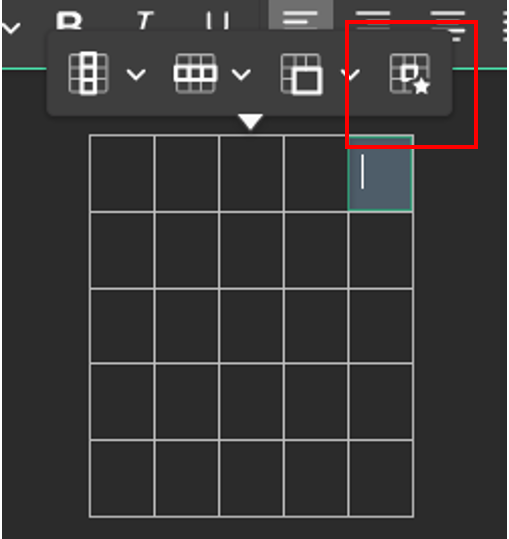
Cell properties icon. -
The default border style is set to None, meaning the border will be transparent. While editing the page, the border will appear white for easier editing. In preview mode, it will display as transparent as intended.
-
A variety of border styles can be selected. Note that some styles are visible only when the width is greater than 1px.