
Workflow
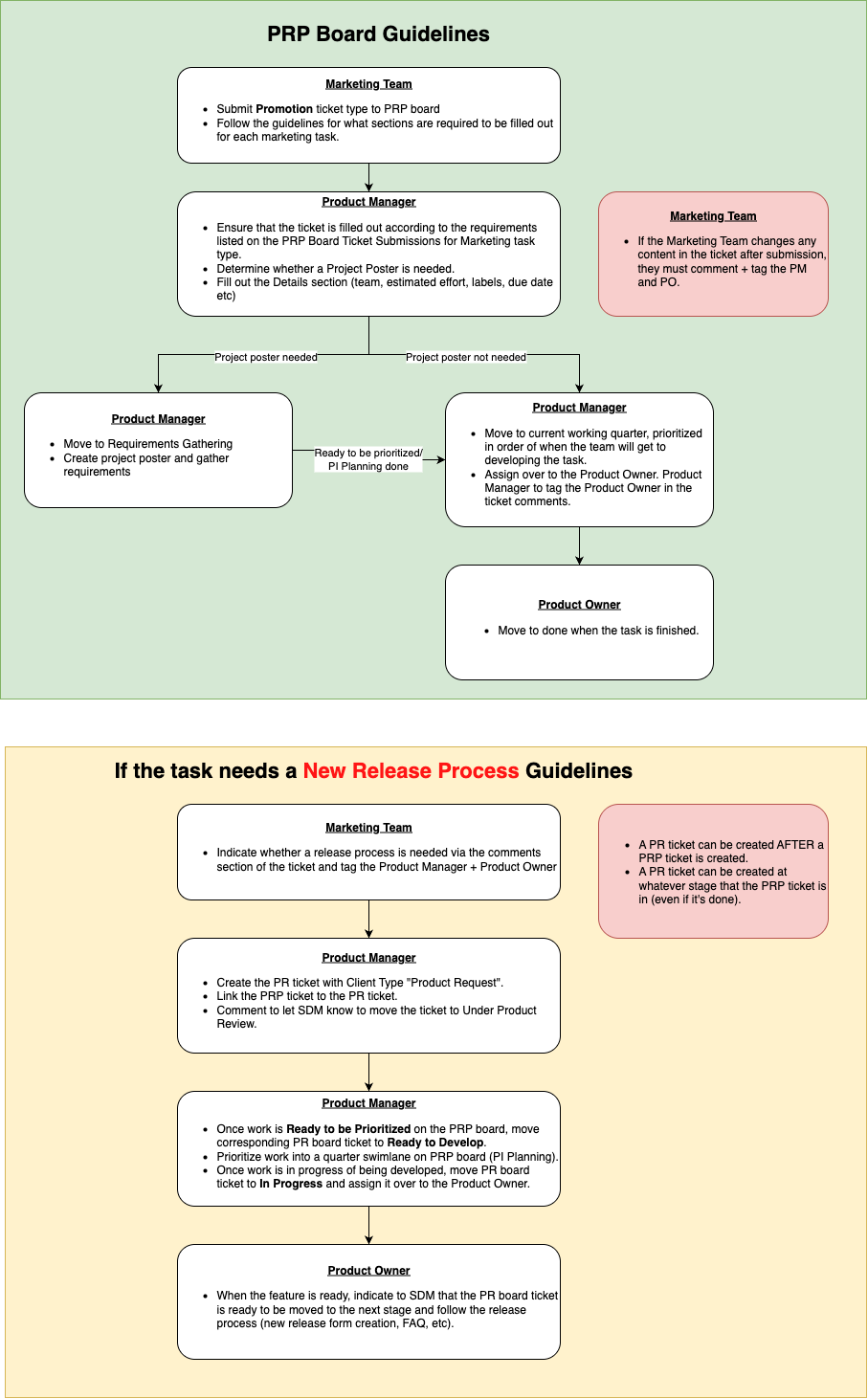
How to Log the Jira Ticket
-
Access the PRP Jira board.
-
Click the Create button. A Create issue page will pop up.
-
Fill in the fields per the instructions below. Once you’re done with the form, click Create and your task will follow the workflow process.
|
Field |
Notes |
|---|---|
|
Project |
Ensure that Platform Request Planning (PRP) is selected from the drop down menu. |
|
Work Type |
Choose Promotion. |
|
Status |
Ensure that Backlog is selected from the drop down menu. |
|
Summary |
Input a title. |
|
Attachment |
Attach any further documentation for context. |
|
Linked Work Items |
Ignore. |
|
Description |
Use this format for the description; all four sections must be filled out. Issue Briefly describe what the problem is. Scenario Explain what steps you took before the problem happened/or Explain what was happening before or what led to the need for this task. Actual Result Describe what actually happened/or Describe what's actually happening right now/or Describe what's missing right now Expected Result Describe your expectations after dev work |
|
Priority |
Assign a priority level for the task. Guidelines:
|
|
Assignee |
Assign to Product Manager - Barbie Lin |
|
Ignore all fields except for those listed below. |
|
|
Deployment Time (with time zone) |
Indicate a time with a time zone. eg. 14:00 GMT+8 |
|
Currency |
Choose the currency (multi-choice). |