Special Features
-
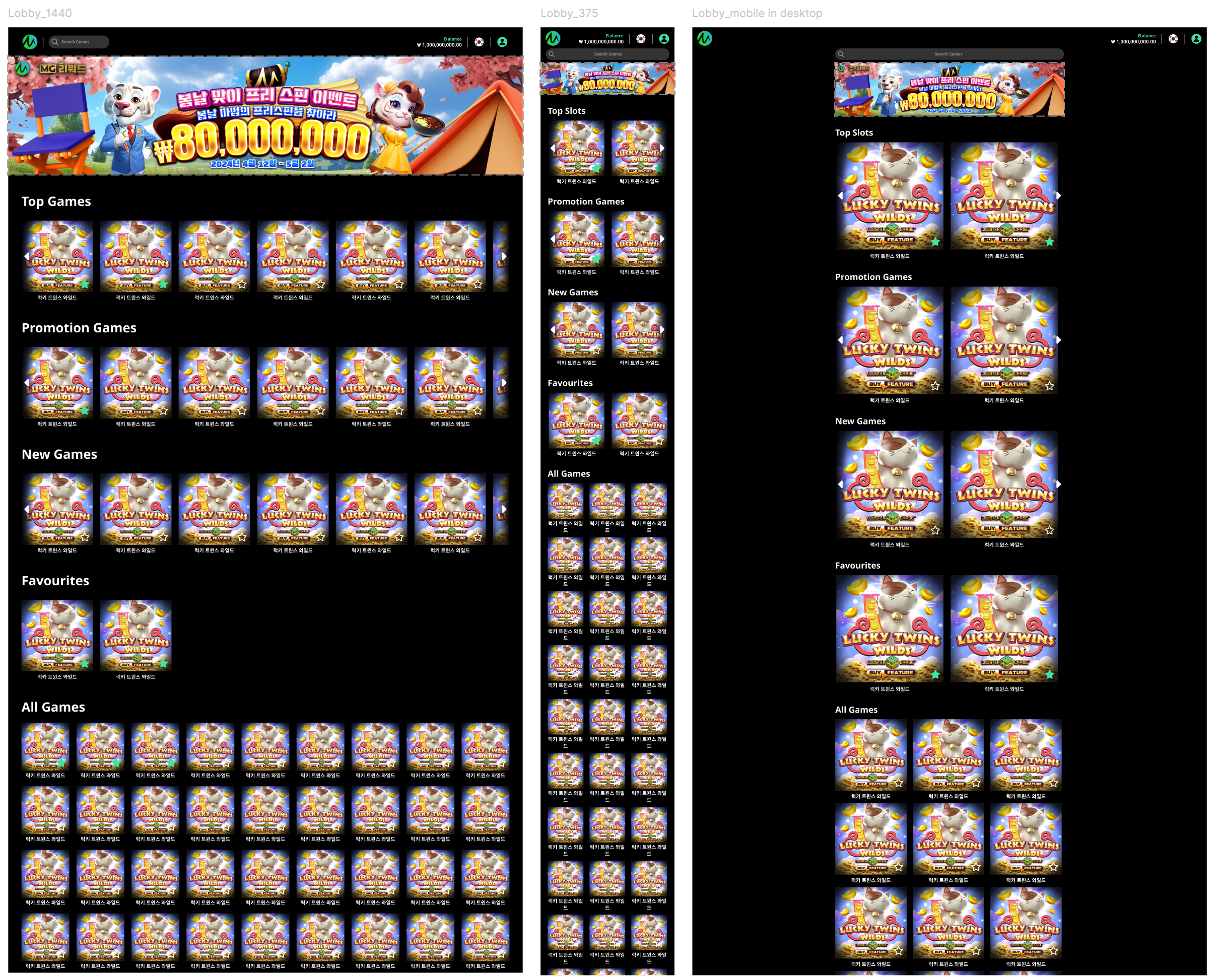
Login: Falcon is a Non-Kiosk template, where users access the lobby via token.
-
Layout & Navigation: Falcon is a simple template without a category navigation section; all content is displayed on the landing page.
-
Game Launch: In desktop mode and mobile, clicking the game icon opens the game in the same window.
-
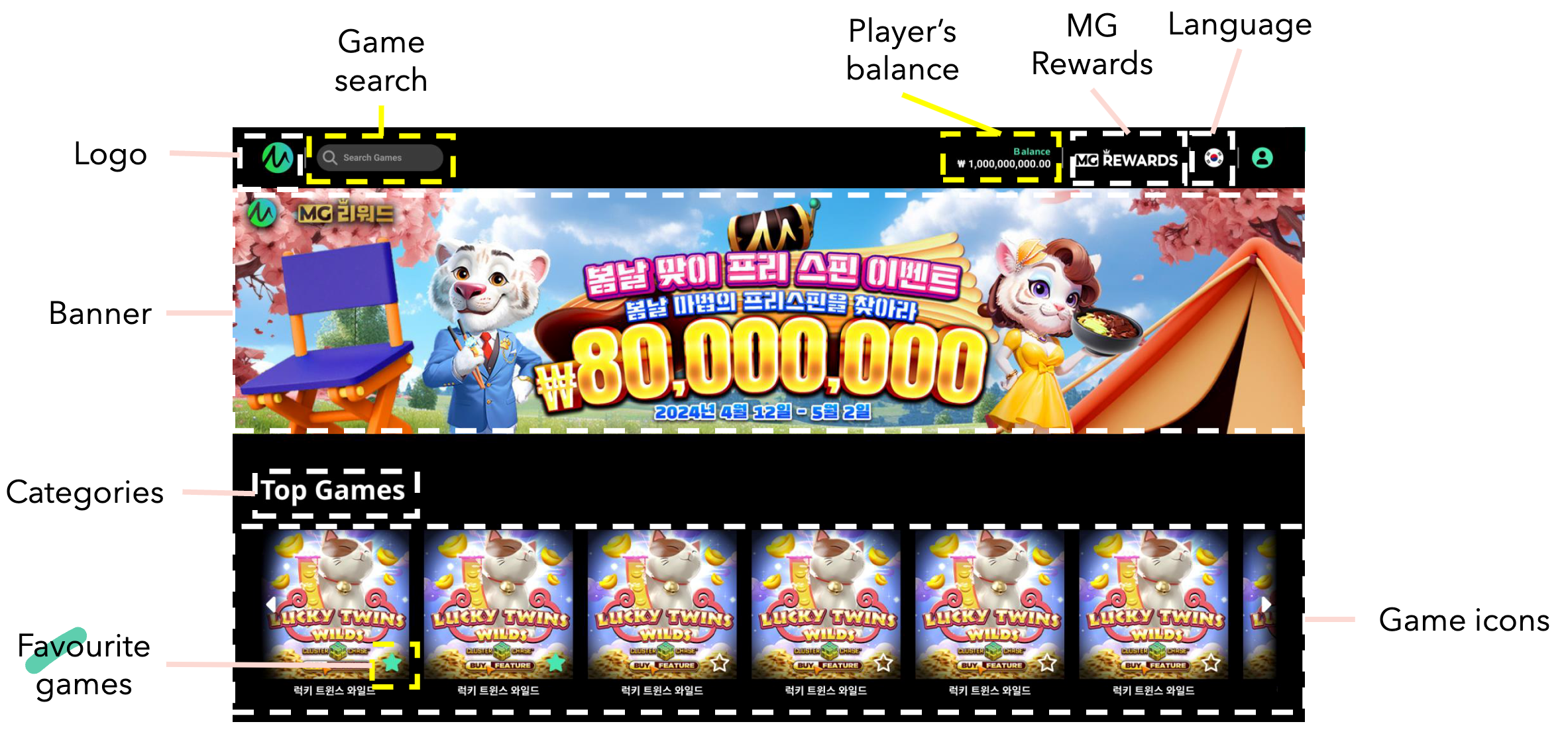
MG Rewards: Clicking the MG Rewards link in the header/navigation bar directs the user to the MG Rewards page.
-
Categories:
-
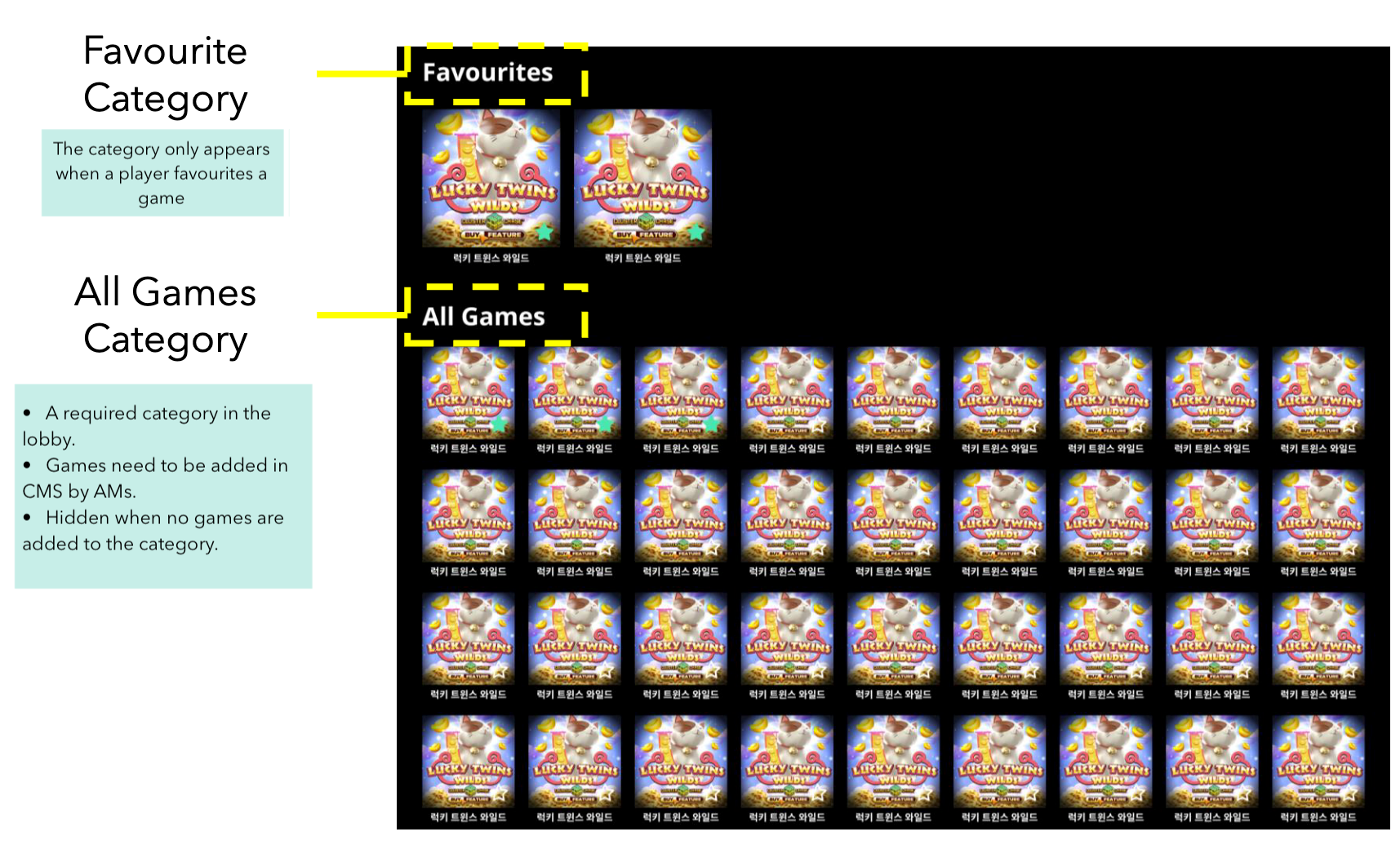
All Games is a required category and always appears last in the lobby. Games added to other categories are not be added automatically to All Games
-
Account Managers (AM) can add games to All Games and adjust their sequence in CMS.
-
If no games are added to All Games in CMS, the category will be hidden in lobby.
-
The Favourites category appears only when a player marks a game as a favourite.
-
-
-
Themes: Dark theme only.
-
Banners: Displays up to 10 loop banners with arrow buttons to cycle through them.
Configuration
-
White Border: Configurable features using Lobby CMS.
-
Yellow Border: Non-configurable features.
Dimension Examples