
Websites
Portal
-
Portals
-
Single Wallet
-
Common Wallet
-
-
Used for a collation of different documents
URL Guidelines
When sharing documents, it’s sufficient to just share the www.portalname.microgaming.game/document-name link - this will direct the user to the default language (English) and the most updated version.
-
Should always be www.portalnamedocs.microgaming.game
-
All documents will always have the document name after the url in full with hyphens acting as spaces
-
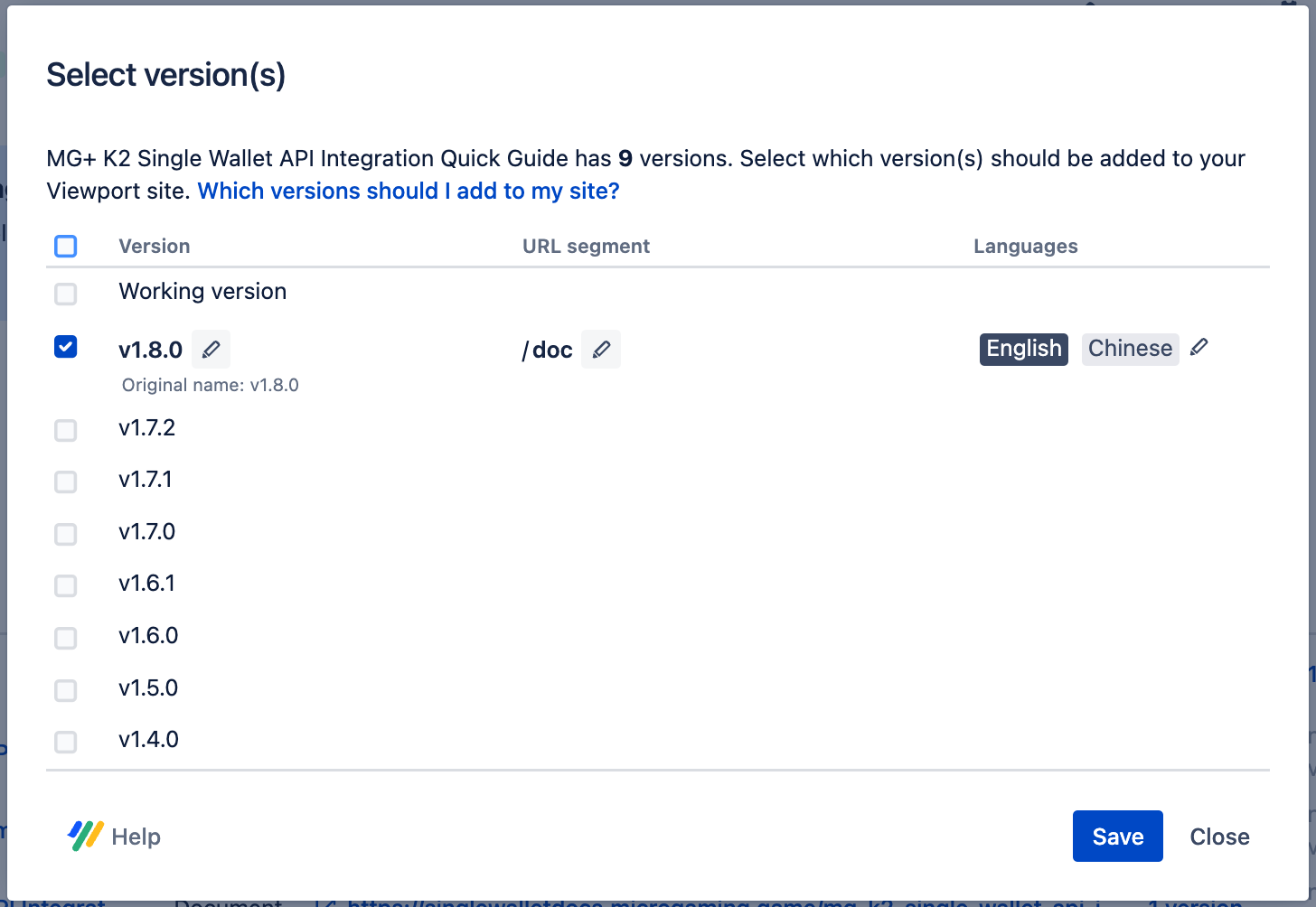
To prevent breaking links via copying and pasting due to version updates all documentation will have their Version URL segment renamed to /doc
-
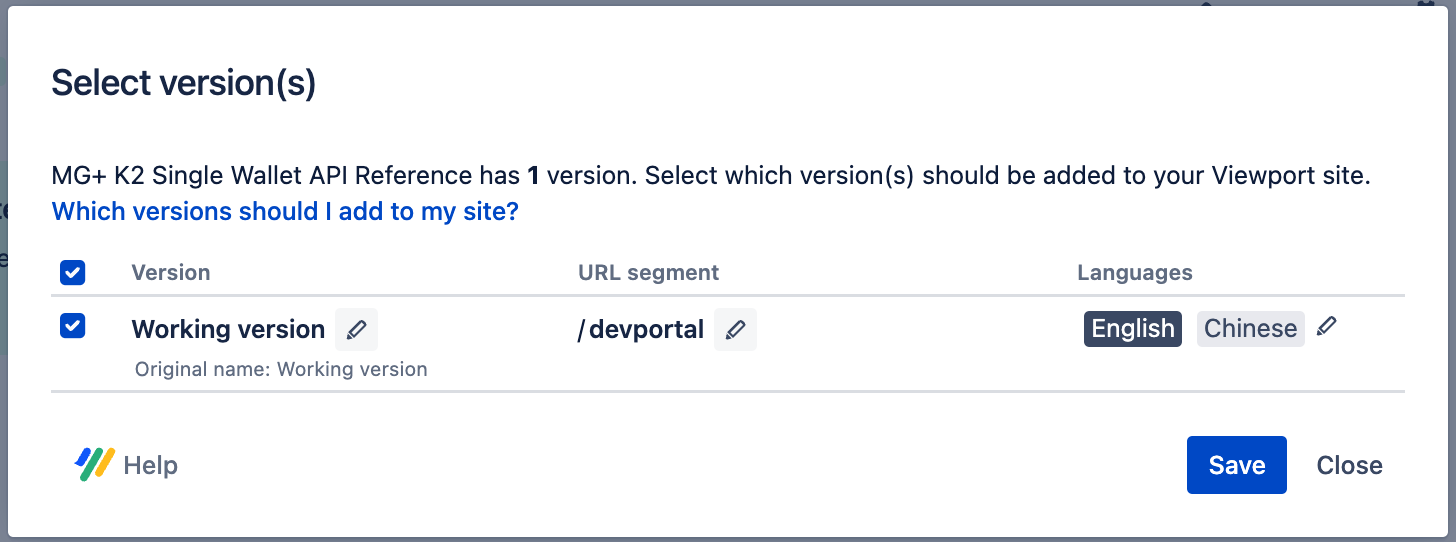
Dev Portal link will always have the Version URL segment renamed to /devportal
-
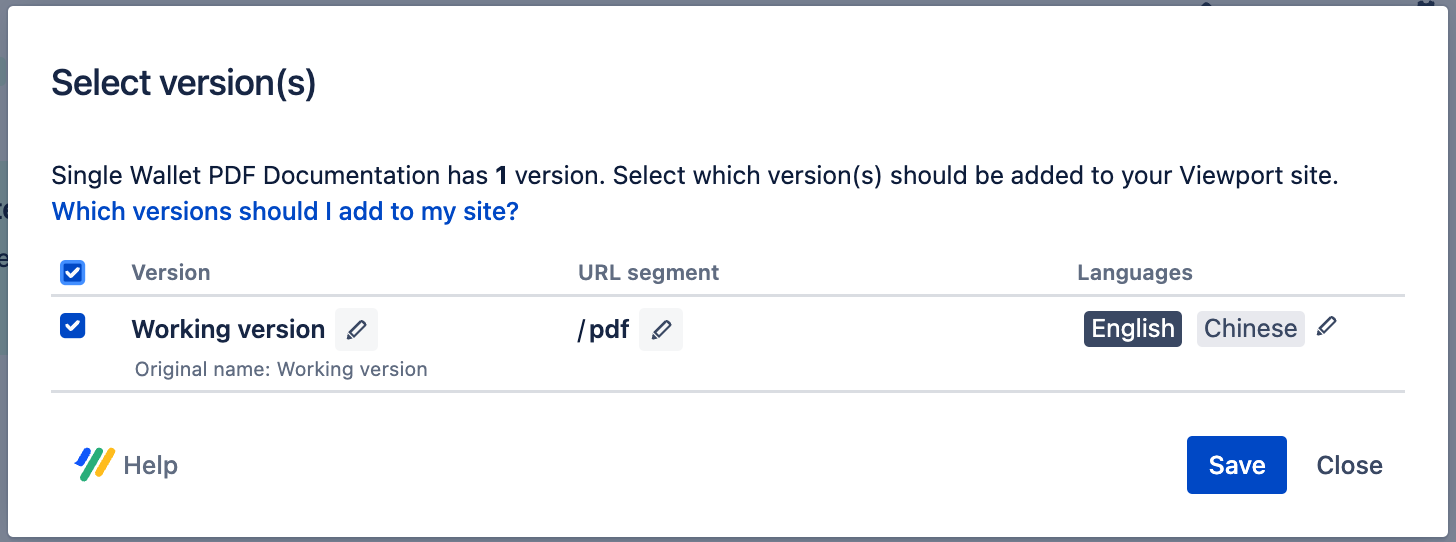
PDF Downloads link will always have the Version URL segment renamed to /pdf
Template
|
Scroll Viewport Section |
Input |
|
|---|---|---|
|
Header |
Logo |
MG_logo_1198x324.png |
|
Favicon |
favicon.svg |
|
|
Background color |
#014436 |
|
|
Text color |
#FFFFFF |
|
|
Links |
|
|
|
Additional components |
Enable Site Name |
|
|
Footer |
Logo |
microgaming_logo_rgb_logomark_white.png |
|
Background color |
#014436 |
|
|
Text color |
#FFFFFF |
|
|
Links |
No links |
|
|
Copyright |
Microgaming |
|
|
Portal |
Title |
Title of the Portal |
|
|
Subtitle |
Microgaming Documentation Website |
|
|
Banner text color |
#014436 |
|
|
Banner image |
banner_bg_banner.svg |
|
|
Search |
Enable Content source filter |
|
|
Tile size |
Choose Medium |
|
Tiles Ordering |
Adjust as needed. PDF Downloads is the last section. |
|
|
|
|
|
|
Content Source |
Choose “Article Layout” |
|
|
Article |
Additional Components |
Enable:
Do not enable Article pagination |
|
Search Results |
Filter Layout |
Choose Vertical |
|
Additional |
Ignore all these sections, leave them empty |
|
Integrations
|
Scroll Viewport Section |
Input |
|
|---|---|---|
|
Header |
Analytics |
Choose Google
|
Website
-
Used for one document source.
URL Guidelines
-
Should always be www.document-name.microgaming.game
-
All documents will always have the document name in full with hyphens acting as spaces
-
For example: www.mg-bbin-exclusive-ledger-api.microgaming.game
-
Except for MG+ Backoffice Kiosk Manual at the moment - reserving the kioskdocs URL in case it needs to become a portal in the future.
-
And Third-Party Game Provider docs - using gpdocs.microgaming.game
-
-
-
-
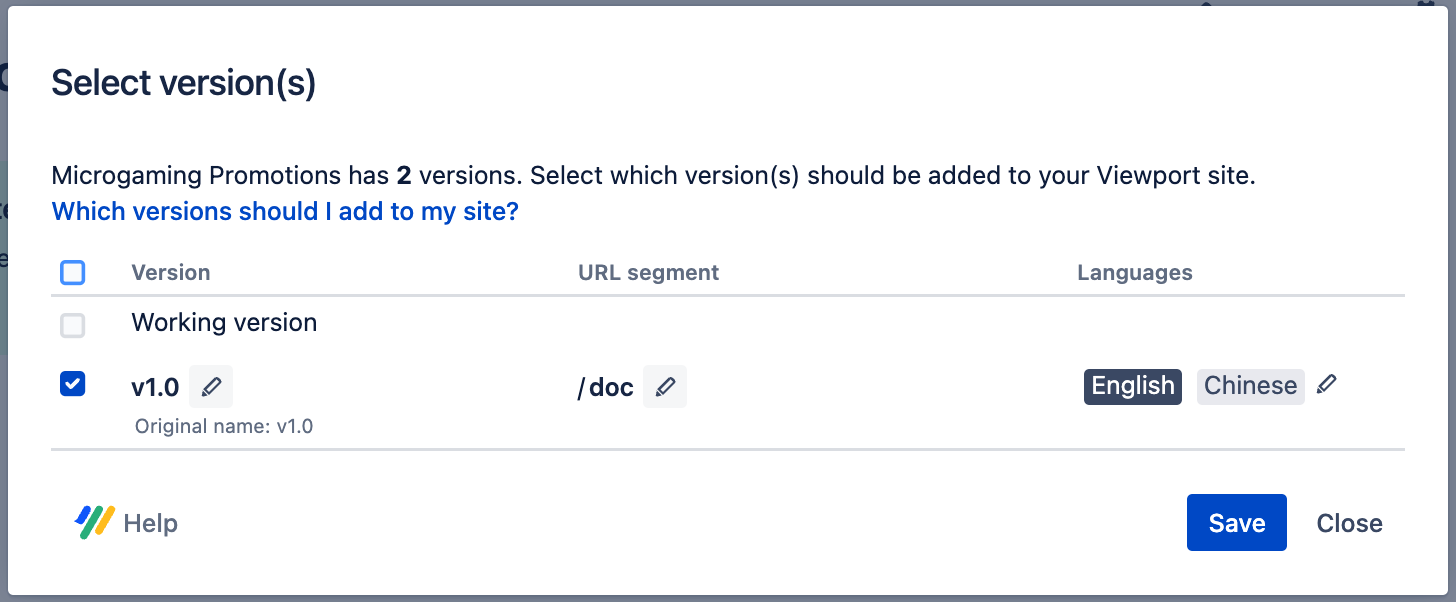
To prevent breaking links via copying and pasting due to version updates all documentation will have their Version URL segment renamed to /doc
Template
|
Scroll Viewport Section |
Input |
|
|---|---|---|
|
Header |
Logo |
MG_logo_1198x324.png |
|
Favicon |
favicon.svg |
|
|
Background color |
#014436 |
|
|
Text color |
#FFFFFF |
|
|
Links |
[Add per need] |
|
|
Additional components |
Enable Site Name |
|
|
Footer |
Logo |
microgaming_logo_rgb_logomark_white.png |
|
Background color |
#014436 |
|
|
Text color |
#FFFFFF |
|
|
Links |
No links |
|
|
Copyright |
Microgaming |
|
|
Content Source |
Choose “Article Layout” |
|
|
Article |
Additional Components |
Enable:
Do not enable Article pagination |
|
Search Results |
Filter Layout |
Choose Vertical |
|
Additional |
Ignore all these sections, leave them empty |
|
Integrations
|
Scroll Viewport Section |
Input |
|
|---|---|---|
|
Header |
Analytics |
Choose Google
|
Assets
|
Category |
Asset |
Used for |
|---|---|---|
|
Logo |
MG_logo_1198x324.png 
|
Header |
|
Favicon |
favicon.svg 
|
|
|
Footer Icon |
microgaming_logo_rgb_logomark_white.png 
|
Footer |
|
Document Icon |
MG+_guide_icon.png 
|
Guides |
|
MG+_api_reference.png
|
API Reference |
|
|
MG+_backoffice_manual.png 
|
MG+ Backoffice Manual |
|
|
MG+_pdf_documentation.png 
|
PDF Documents |
|
|
Banner |
banner_bg_banner.svg

|
Banner for portal sites |
Labels
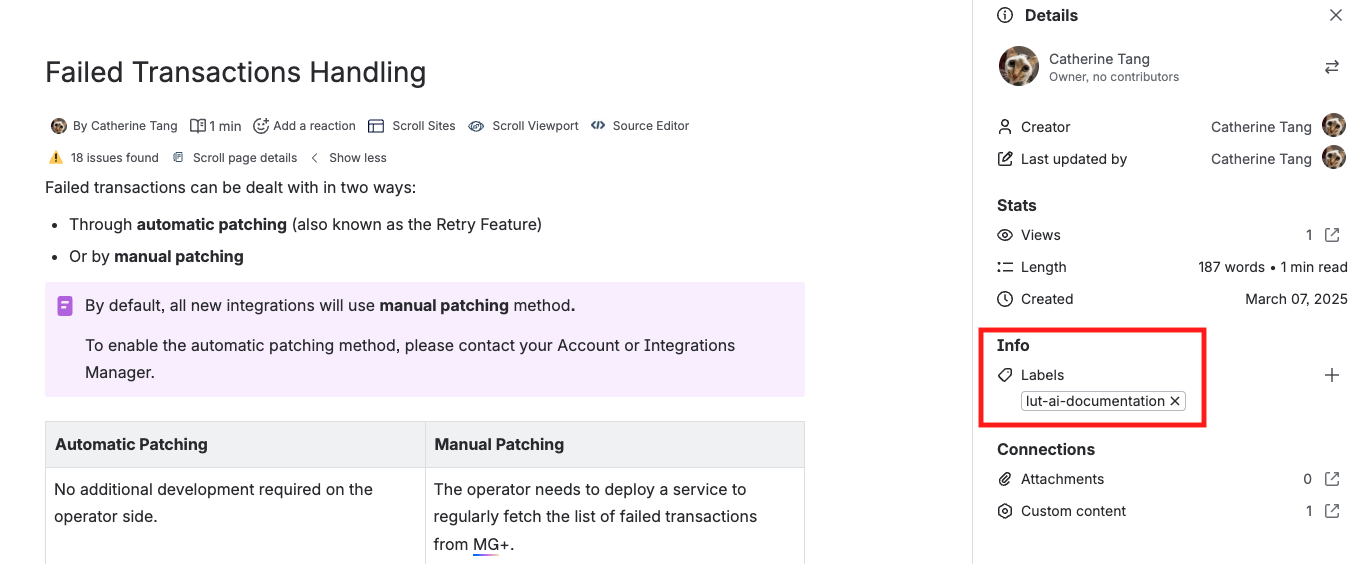
As part of a business initiative to enable an AI assistant to crawl and use our documentation as source material, relevant pages have been labeled with lut-ai-documentation to make them discoverable by the AI.
As of , the following documents are included:
To ensure the AI’s knowledge base remains up to date, make sure to add this label whenever a new page is added to the specified documents.
PDF
PDF’s have been deprecated, but keeping the info here just in case we do need to export it for special cases.
Template
|
Used for |
Asset |
Note |
|---|---|---|
|
MG+ Backoffice Manual |
_Guide Template for BO Manual.data
|
File name structured as below due to need to differentiate variants during export: [Language Code (Scroll Documents) ("")] Document Title - Variant Name (Scroll Documents) ("") Version Name (Scroll Documents) ("") |
|
API Documents |
_Guide Template for Documentation.data
|
File name structured as below: [Language Code (Scroll Documents) ("")] Document Title - Version Name (Scroll Documents) ("") |
Asset
|
Used for |
Asset |
|---|---|
|
Cover page |
PDF _cover_light.png 
|
|
Footer banner for pages |
_Page_logo.png

|
|
Footer banner for pages (Logo version) |
_Page.png

|