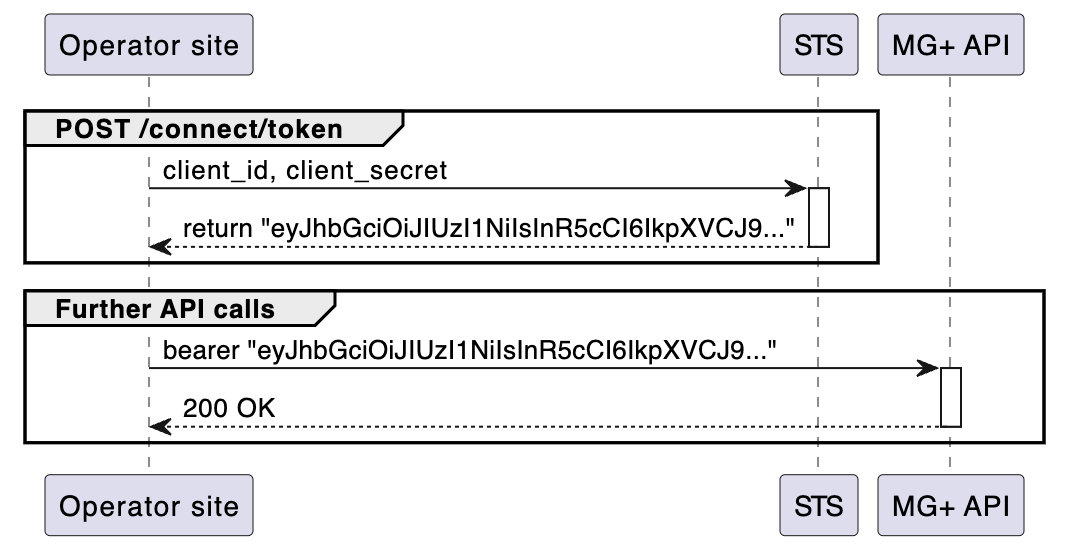
To start, obtain an STS Token, which acts as the authorization token for all MG+ API interactions.
To generate an STS Token, provide your Agent Code and Agent Secret to STS. In response, you'll receive a JWT token for use in future MG+ API calls.
POST https://sts-demo.k2net.io/connect/token
Request Headers
JSON
Content-Type: “application/x-www-form-urlencoded”
Request Body
JSON
client_id: “TestAgent”
client_secret: “6babc1e450712345a973e3abc0bd2”
grant_type: “client_credentials”
In most cases, the client_id corresponds to the Agent Code, while the client_secret corresponds to the Agent Secret.
Response Headers
JSON
Content-Type: “application/json; charset=UTF-8”
200 Response Body Example
JSON
{
    "access_token": "eyJhbGc...",
    "expires_in": 3600,
    "token_type": "Bearer",
    "scope": "api ldenrichmentapi"
}