
Purpose
Manage the list of game providers.
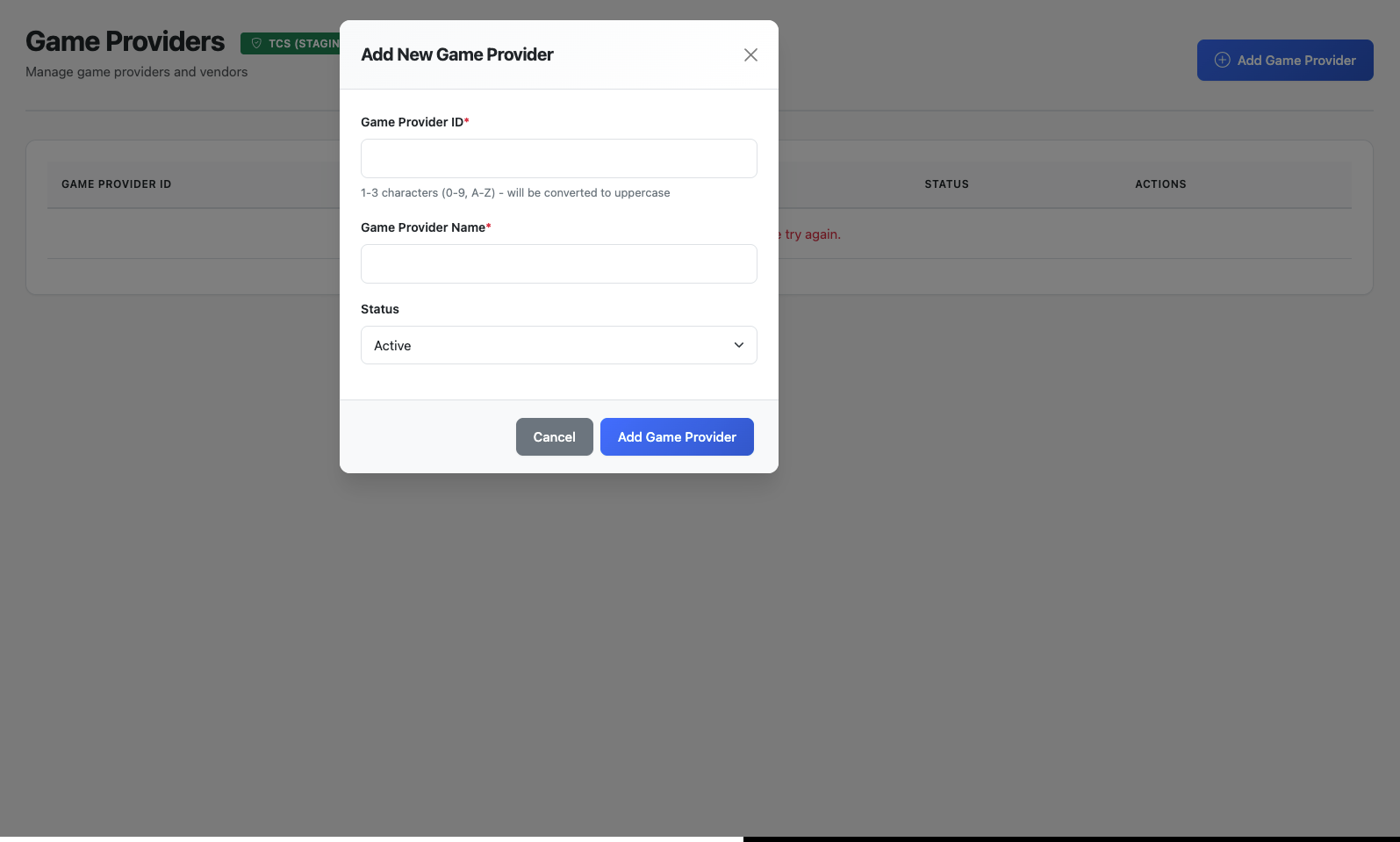
Adding a Game Provider
-
Click Add Game Provider button
-
Fill in the required fields:
-
Game Provider ID: 1-3 character code (letters A-Z and numbers 0-9 only)
-
Game Provider Name: Descriptive name for the provider
-
Status: Set to Active or Inactive
-
-
Click Add Game Provider to save
Editing a Game Provider
-
Click the edit (pencil) icon next to the provider
-
Modify the Game Provider Name or Status (ID cannot be changed)
-
Click Save Changes (button only enables when changes are made)
Deleting a Game Provider
Warning: Deleting a provider will remove all associated games and their bet configurations.
-
Click the delete (trash) icon next to the provider
-
Confirm the deletion when prompted
Game Provider Validation Rules
-
Game Provider ID must be 1-3 characters
-
Game Provider ID can only contain uppercase letters and numbers
-
Game Provider Name cannot be empty or whitespace only
-
Game Provider ID is immutable once created