
This request is used to withdraw player funds from the platform.
-
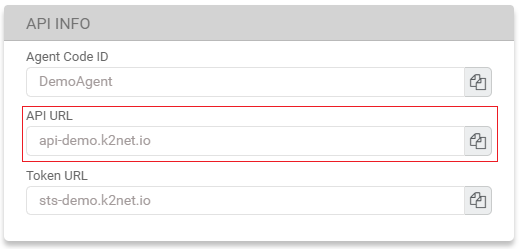
Find your API URL. This can be found in MG+ Backoffice, or given to you by your Account Manager.
-
Create a request.
-
Replace the URL with your API URL and DemoAgent with your Agent Code.
-
In the request example, this is the api-demo.k2net.io and the DemoAgent portions of the endpoint.
-
-
Set the Authorization token to be your STS Token.
-
In the request example, this is the (STS Token) portion of the request header.
-
-
|
Request Example |
|---|
|
Request Headers
Request Body |
-
You should receive a 201 response.
|
Response Example |
|---|
|
201 Response Body Example JSON
|
Checklist
- Did you use the correct API URL from your Account Manager or MG+ Backoffice?
- Did you put /api/v1/ after your API URL?
- Did you use the POST method?
- Did you put the STS Token in the Authorization request header?
- Have you included all the required parameters?